

In today’s dynamic work environment, especially with the rise of remote and hybrid models, effective communication defines team success. Many professionals struggle with a constant influx of messages, endless meetings, and the challenge of coordinating across different time zones. Understanding the nuances of synchronous and asynchronous communication allows you to optimize your interactions, fostering greater clarity, productivity, and team cohesion.
This guide equips you with practical strategies to master both communication modes. You will learn when to use each approach, how to enhance its effectiveness, and ultimately, how to build a communication system that supports deep work and efficient collaboration, whether your team works across a shared office or distributed globally. Embrace these methods to transform how your team connects and achieves its goals.

Understanding Communication Modes: Synchronous vs. Asynchronous
Successful team communication hinges on a clear understanding of its two primary forms: synchronous and asynchronous. Each mode offers distinct advantages and disadvantages, making them suitable for different scenarios. Grasping these differences forms the foundation for strategic team interactions.
What is Synchronous Communication?
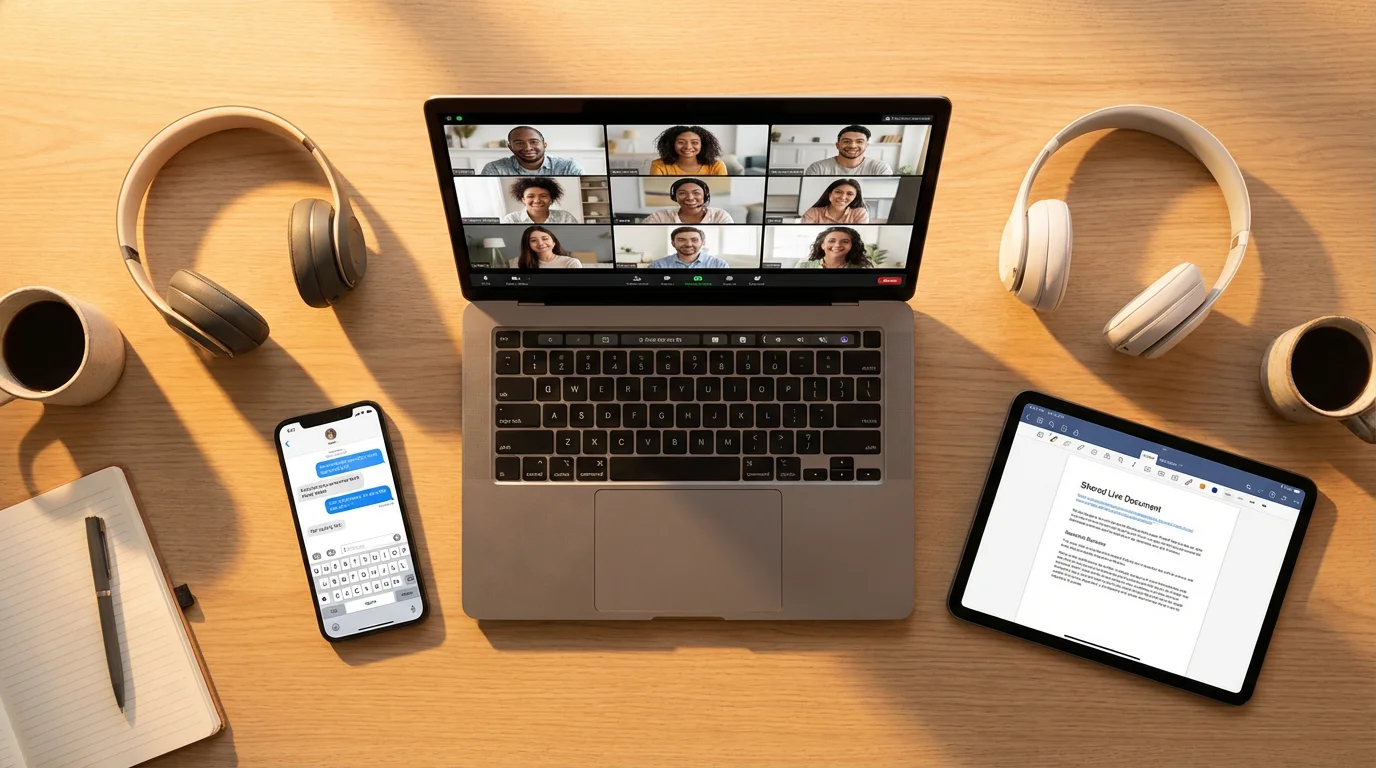
Synchronous communication involves real-time interaction where all participants engage simultaneously. This means immediate feedback, direct dialogue, and instantaneous problem-solving. Think of live conversations, video conferences, instant messaging chats, and traditional in-person meetings. This communication type thrives on immediacy and direct connection.
Its primary characteristic is the expectation of an immediate response. When you send an instant message or speak during a video call, you anticipate a quick reply. This immediacy facilitates rapid decision-making and fosters a strong sense of connection among team members. Synchronous channels often feel more personal, enabling non-verbal cues to play a significant role in understanding.

What is Asynchronous Communication?
Asynchronous communication, by contrast, does not require immediate, real-time engagement. Participants contribute and consume information on their own schedules. Examples include email, project management software comments, shared documents, recorded video messages, and internal wikis. This method provides flexibility and allows for thoughtful, well-considered responses.
The key feature of asynchronous communication is the lack of an immediate response expectation. You send a message, and the recipient responds when they have the time and focus to do so. This approach supports deep work, allows for diverse schedules, and can lead to higher quality outputs as individuals have more time to process information and formulate detailed replies. It is particularly effective for documentation and long-form discussions.

The Power of Synchronous Interaction
While often criticized for its potential to interrupt focus, synchronous communication remains indispensable for specific team functions. When used thoughtfully, it accelerates collaboration, builds rapport, and resolves complex issues with speed. Understanding its strengths helps you deploy it effectively.

Key Benefits of Synchronous Communication
- Instant Feedback and Clarity: Real-time discussions allow for immediate clarification of ambiguities. You can ask follow-up questions instantly, ensuring everyone fully understands the message. This rapid back-and-forth prevents misinterpretations and accelerates decision-making.
- Relationship Building and Morale: Face-to-face or voice-to-voice interactions foster a sense of connection and camaraderie. Observing non-verbal cues in video calls helps build trust and strengthens team bonds, crucial for remote teams. Regular synchronous check-ins can significantly boost team morale.
- Rapid Problem-Solving: Complex, urgent problems often require quick, interactive brainstorming. Synchronous sessions enable teams to collaboratively ideate, debate solutions, and make immediate adjustments. This responsiveness is vital in fast-paced environments or during crises.
- Consensus Building: When a team needs to reach a quick consensus, synchronous discussions allow for immediate polling of opinions and addressing concerns. You can navigate diverse viewpoints efficiently, steering the conversation towards a unified decision.

Ideal Scenarios for Synchronous Communication
You should prioritize synchronous communication when:
- You need to make urgent decisions that impact immediate project timelines.
- Your team requires quick brainstorming to kickstart a new initiative or solve a critical blocker.
- You are onboarding new team members and need to provide direct, interactive guidance and foster immediate integration into the team culture.
- Your goal is to build team cohesion, conduct morale-boosting social calls, or celebrate successes in real time.
- Complex or sensitive topics require nuance, immediate feedback, and emotional intelligence.
For example, a marketing team launching a new campaign might use a synchronous video call to finalize messaging just hours before launch. This allows for last-minute adjustments and ensures everyone is aligned. Similarly, a software development team facing a critical bug might jump on an instant call to diagnose and troubleshoot collaboratively, saving hours compared to back-and-forth emails.

Unlocking Efficiency with Asynchronous Remote Work
Asynchronous communication, especially vital for asynchronous remote work models, offers a powerful antidote to communication fatigue and fragmented focus. It empowers individuals to work more deeply and manage their time effectively, leading to higher quality outputs and a more sustainable pace.

Core Advantages of Asynchronous Communication
- Supports Deep Work: By removing the expectation of instant replies, asynchronous methods allow individuals to dedicate uninterrupted blocks of time to complex tasks. This prevents constant context switching, a major drain on cognitive resources.
- Time Zone Flexibility: For distributed or global teams, asynchronous communication eliminates the need for inconvenient meeting times. Team members can contribute when they are most productive, regardless of their location, promoting inclusivity and reducing burnout.
- Thoughtful and High-Quality Responses: When you do not face pressure for an immediate reply, you have time to research, reflect, and craft comprehensive, well-articulated messages. This leads to more precise and higher-quality communication.
- Built-in Documentation: Most asynchronous tools automatically create a written record of discussions and decisions. This documentation serves as a searchable knowledge base, reducing repetitive questions and facilitating onboarding for new team members.
- Reduced Meeting Fatigue: Shifting discussions from live meetings to asynchronous channels significantly cuts down on meeting hours. This frees up valuable time for focused work and reduces the mental burden of constant scheduled interactions.
“Clarity about what matters provides clarity about what does not.” — Deep Work Principle
This principle applies strongly to asynchronous communication. When you communicate asynchronously, you must be clear and concise, detailing all necessary context because you cannot rely on immediate follow-up questions. This discipline in communication itself fosters greater clarity for everyone involved.

When Asynchronous Communication Excels
You will find asynchronous methods particularly effective for:
- Sharing progress updates and status reports that do not require immediate discussion.
- Requesting feedback on documents, designs, or code, allowing reviewers ample time to provide thoughtful critiques.
- Collaborating on long-term projects where tasks can be broken down and worked on independently before consolidation.
- Documenting processes, decisions, and knowledge in a centralized, accessible location.
- Initiating discussions that benefit from diverse perspectives gathered over time, rather than quick, on-the-spot opinions.
Consider a product development team using a project management tool like Asana or Jira. Instead of a daily stand-up meeting, team members post their updates, blockers, and next steps in a dedicated channel. This allows colleagues in different time zones to review and respond when it suits them, contributing to efficient asynchronous remote work.

Strategic Choice: When to Go Sync or Async
The most effective teams do not exclusively favor one communication mode over the other. Instead, they strategically choose the best approach based on the specific context, urgency, and desired outcome. This intentional decision-making prevents communication bottlenecks and optimizes team productivity.

A Decision Framework for Communication
To guide your choice, consider these factors:
- Urgency: Is the matter time-sensitive and requires an immediate response or decision? If yes, lean synchronous. If not, asynchronous is often better.
- Complexity and Nuance: Does the topic involve intricate details, require extensive back-and-forth, or carry emotional weight? Highly complex or sensitive topics often benefit from synchronous interaction. Simpler updates or factual information are ideal for asynchronous delivery.
- Impact on Relationships: Does the communication aim to build rapport, resolve conflict, or celebrate a milestone? Synchronous interaction enhances personal connection.
- Audience Size and Availability: Are all necessary participants available and can they focus simultaneously? Large groups or distributed teams with significant time zone differences often struggle with synchronous alignment. Asynchronous methods accommodate diverse schedules.
- Information Lifespan: Will this information be referenced repeatedly? Asynchronous, documented communication provides an enduring record. Ephemeral synchronous discussions might need follow-up documentation.
This infographic visualizes a common decision-making path, helping you quickly identify the most suitable communication channel.

Example Scenarios for Application
- Scenario 1: Project Kick-off. Use synchronous communication (video conference) to introduce the team, clarify goals, set expectations, and answer initial questions. Follow up with asynchronous documentation (project brief, shared task list) for detailed reference.
- Scenario 2: Daily Progress Updates. Opt for asynchronous communication (project management tool or dedicated chat channel) where each team member posts their progress, blockers, and plans for the day. This saves time and provides a documented record.
- Scenario 3: Resolving a Critical Bug. Initially use synchronous communication (instant message followed by a quick call) to quickly gather information and brainstorm solutions with the relevant team members. Document the resolution and key learnings asynchronously in a bug tracking system.
- Scenario 4: Long-term Strategy Discussion. Begin asynchronously by sharing a detailed proposal document for review and comments. Allow time for thoughtful feedback. Then, schedule a synchronous meeting to discuss specific points of contention or finalize decisions, leveraging the pre-work.

Optimizing Synchronous Meetings and Calls
While asynchronous communication reduces the need for many meetings, you cannot eliminate them entirely. Instead, optimize your synchronous interactions to make them focused, efficient, and productive. Poorly run meetings waste valuable time and energy, undermining the benefits of real-time collaboration.

Strategies for Effective Synchronous Sessions
- Define a Clear Purpose and Agenda: Before scheduling any meeting, ask: “What specific outcome do we need from this meeting?” Share a detailed agenda at least 24 hours in advance, outlining topics, desired outcomes, and required pre-reading. This allows participants to prepare effectively and stay on track.
- Invite Only Essential Participants: Keep meeting attendance lean. Every additional person increases complexity and reduces individual participation. Invite only those directly involved in the decision or discussion. Others can receive asynchronous updates.
- Time-Box Discussions Rigorously: Allocate specific time limits for each agenda item. Use a timer during the meeting to enforce these limits. If a discussion runs over, decide whether to defer it to a follow-up or move it to an asynchronous channel.
- Assign Roles: Designate a facilitator to keep the conversation on track and ensure everyone contributes. Appoint a note-taker to capture key decisions, action items, and owners. This ensures accountability and clear next steps.
- Actionable Outcomes and Follow-up: Conclude every meeting by summarizing decisions and explicitly assigning action items with deadlines and owners. Distribute these notes asynchronously shortly after the meeting.
“Work expands to fill the time available for its completion.” — Parkinson’s Law
This law directly applies to meetings. If you schedule an hour, the discussion will likely fill an hour. Schedule 30 minutes with a tight agenda, and the team will strive to complete it within that shorter timeframe. Be intentional with your time allocation.
Consider the example of a weekly team stand-up. Instead of a sprawling 60-minute discussion, implement a strict 15-minute synchronous session. Each person briefly shares their top priority, one blocker, and offers a concise update. All detailed discussions or problem-solving then move to asynchronous channels, such as a dedicated Slack thread or a project management task, ensuring the stand-up remains a swift alignment point.

Mastering Asynchronous Communication: Best Practices
Effective asynchronous communication requires discipline and a commitment to clarity. Without the benefit of real-time interaction, your messages must be comprehensive, easy to understand, and well-organized. Adopting specific best practices ensures your asynchronous efforts drive efficiency, rather than confusion.
Principles for Clear Asynchronous Messaging
- Be Clear and Concise: Get straight to the point. State your purpose upfront, provide all necessary context, and outline any required actions clearly. Use headings, bullet points, and bold text to improve readability.
- Provide Full Context: Assume the recipient knows nothing about the issue. Include links to relevant documents, previous discussions, or data. Do not make them search for background information. This is particularly important for asynchronous remote work, where shared context can be harder to maintain.
- Define Expectations for Response: When do you need a response? Specify “no reply necessary,” “reply by EOD Tuesday,” or “provide feedback by Friday.” This manages expectations and prevents unnecessary urgency.
- Choose the Right Tool: Select the appropriate platform for your message. Use project management tools for task-related discussions, email for formal announcements, and shared documents for collaborative writing. Avoid using instant messaging for complex issues that require long-form responses.
- Consolidate Information: Instead of sending multiple fragmented messages, gather all related points into a single, comprehensive communication. This reduces notification fatigue and provides a complete picture.
- Use Templates and Checklists: For recurring asynchronous communications, such as project updates or feedback requests, create templates. This ensures consistency, covers all necessary points, and saves time.

Tools and Techniques for Asynchronous Success
Leverage technology to bolster your asynchronous strategies:
- Project Management Platforms: Tools like Asana, Trello, Jira, or Monday.com centralize tasks, discussions, and file sharing. They provide a transparent overview of project progress and reduce reliance on email for operational updates.
- Shared Document Collaboration: Google Docs, Microsoft 365, or Notion allow real-time co-editing and commenting. These are excellent for drafting proposals, compiling reports, and gathering feedback without a meeting.
- Internal Wikis/Knowledge Bases: Confluence, Notion, or internal wikis serve as central repositories for company policies, procedures, onboarding guides, and frequently asked questions. They empower self-service and reduce repetitive inquiries.
- Video Messaging: Tools like Loom or Vidyard allow you to record short video explanations or demonstrations. This adds a personal touch and clarity to complex topics without requiring a live call.
- Dedicated Asynchronous Communication Channels: Within chat tools like Slack or Microsoft Teams, create specific channels for project updates or announcements where the expectation is not an immediate reply. Clearly label these channels.
For example, a content team might use a shared Google Doc to draft an article. Instead of a synchronous meeting to review, each team member adds comments and suggestions directly in the document at their convenience. This allows for focused feedback and ensures a written record of all proposed changes, making the review process highly efficient.

Crafting a Team Communication Charter
To truly optimize your team’s communication, you need a shared understanding and agreement on how and when to communicate. A communication charter or agreement serves as a living document that outlines expectations for both synchronous and asynchronous interactions, creating consistency and reducing ambiguity.

Key Elements of a Communication Charter
Your team’s charter should address:
- Default Communication Modes: For specific types of information (e.g., urgent issues, project updates, feedback requests), define the preferred communication channel. For instance, “Use instant messaging for urgent blockers, project management software for daily updates, and email for formal announcements.”
- Response Time Expectations: Set realistic and agreed-upon response times for different channels. “Expect a reply within 1 hour for instant messages during work hours,” or “Expect a reply within 24 hours for emails and project comments.” This manages expectations and prevents unnecessary anxiety.
- Meeting Protocols: Outline rules for synchronous meetings, such as mandatory agendas, time limits, required preparation, and documentation of action items. For instance, “All meetings must have an agenda distributed 24 hours prior; decisions and action items will be recorded and shared within 2 hours of meeting conclusion.”
- Documentation Standards: Define where key decisions, processes, and project information reside. Emphasize the importance of documenting discussions from synchronous meetings in an asynchronous format for future reference.
- “Do Not Disturb” Policies: Encourage team members to utilize “Do Not Disturb” modes for focused work and respect these boundaries. This supports deep work and acknowledges individual working preferences.
- Tone and Etiquette: Establish guidelines for respectful, clear, and constructive communication across all channels. This ensures a positive and inclusive communication culture.

Implementing Your Charter
Involve your entire team in developing the charter. This fosters ownership and ensures the guidelines are practical and widely accepted. Review and update the charter periodically, perhaps quarterly, to adapt to evolving team needs and tools. Share it prominently in your team’s knowledge base, making it easily accessible to everyone, especially new hires. This intentional approach to managing remote teams effectively will significantly enhance your overall communication strategy.

Overcoming Common Communication Challenges
Even with a well-defined strategy, communication challenges inevitably arise. Proactive identification and resolution of these issues strengthen your team’s ability to collaborate seamlessly, whether you operate in a fully remote setup or a hybrid model.

Addressing Misunderstandings and Ambiguity
Misinterpretations often stem from a lack of context or clarity. In an asynchronous environment, it is harder to pick up on non-verbal cues. If a message seems ambiguous, avoid making assumptions. Instead, respond by asking clarifying questions in the same asynchronous channel. If the issue remains unclear after one or two asynchronous exchanges, pivot to a synchronous quick call to resolve it quickly. This strategic use of synchronous communication can prevent prolonged miscommunication loops.

Combating Information Overload and Notification Fatigue
The constant stream of messages and notifications can overwhelm even the most organized professional. Implement “notification hygiene”: turn off non-essential notifications, use “Do Not Disturb” periods, and encourage team members to consolidate messages rather than sending multiple short bursts. Encourage the use of dedicated channels for specific topics, filtering out irrelevant noise. Regularly review your team’s communication tools, ensuring you utilize them purposefully and not as an endless stream of updates.

Bridging Time Zone Differences
Time zone disparities present a significant hurdle for managing remote teams effectively. Embrace asynchronous communication as the primary mode for most work, scheduling synchronous meetings only when absolutely necessary. When you must hold synchronous meetings, rotate meeting times to ensure no single group always bears the burden of early mornings or late nights. Record all synchronous meetings and share them promptly with summaries and action items, allowing those who could not attend to stay informed.

Maintaining Team Cohesion in Remote Setups
Remote teams can sometimes feel disconnected. Consciously integrate opportunities for informal synchronous interactions. Schedule optional “coffee breaks” or social check-ins via video call. Encourage brief, non-work-related chats at the start of team meetings. While asynchronous communication drives productivity, synchronous moments build the social fabric essential for long-term team success and job satisfaction.
Frequently Asked Questions
How do I know if a topic requires synchronous or asynchronous communication?
Evaluate the urgency, complexity, and need for immediate feedback. Urgent decisions, complex problem-solving, and relationship-building often benefit from synchronous interaction. Routine updates, detailed feedback, and information sharing are generally best handled asynchronously. Refer to the decision framework outlined earlier in this article for a structured approach.
What are the biggest pitfalls of relying too heavily on synchronous communication?
Over-reliance on synchronous communication leads to meeting fatigue, constant interruptions, and a fragmented workday. This disrupts deep work, reduces individual productivity, and can lead to burnout, especially for remote teams working across different time zones. It also puts undue pressure on immediate responses, often sacrificing quality for speed.
Can asynchronous communication entirely replace synchronous meetings?
No, not entirely. While asynchronous methods can significantly reduce the number of meetings and enhance focus, some situations still benefit greatly from real-time interaction. These include critical decision-making, complex negotiations, brainstorming sessions, and fostering team cohesion. The goal is balance, not complete elimination.
How can I encourage my team to adopt more asynchronous practices?
Start by modeling the behavior yourself. Define clear expectations through a communication charter. Provide training on effective asynchronous tools and techniques. Publicly celebrate successes of asynchronous collaboration. Gradually shift default communication methods for certain tasks, such as replacing daily stand-ups with asynchronous updates in a project tool. Be patient, as habit changes take time.
What if my team is struggling with slow response times in asynchronous channels?
First, revisit your communication charter to ensure clear response time expectations exist for each channel. If expectations are clear, address the issue during a synchronous team discussion. Understand the root cause: is it too much information, lack of clarity in requests, or overwhelming workloads? Work together to find solutions, such as prioritizing messages or allocating specific times for checking asynchronous channels.
Are there tools specifically designed for asynchronous remote work?
Many tools support asynchronous remote work. Project management platforms (Asana, Jira, Trello), shared document collaboration suites (Google Workspace, Microsoft 365, Notion), internal wikis (Confluence), and video messaging tools (Loom, Vidyard) are excellent for facilitating asynchronous interactions. Even within instant messaging platforms, you can create dedicated channels for updates that do not demand immediate responses.

Cultivating a Focused Communication Culture
Mastering synchronous and asynchronous communication is not merely about choosing the right tool; it is about cultivating a culture of intentional communication within your team. This involves valuing clarity, respecting focus time, and constantly refining your approach based on team feedback and evolving needs. By strategically deploying each communication mode, you empower your team members to achieve deep work, collaborate effectively, and contribute their best, regardless of their location.
Embrace experimentation. Not every strategy will work perfectly for every team. Regularly solicit feedback from your colleagues on what is working and what is not. Adjust your communication charter and practices as needed. This iterative process ensures your communication system remains agile and truly supports the unique dynamics of your team, ultimately driving success in an increasingly remote-first world. You now possess the insights to transform your team’s interactions, making them more efficient, productive, and focused.
Disclaimer: This article provides general information and recommendations for productivity and time management. It does not constitute professional advice in areas such as psychology, medicine, or legal matters. Always seek guidance from qualified professionals for specific personal or team circumstances.








Leave a Reply