

Your digital world, a vast collection of files, emails, applications, and photos, often mirrors the physical clutter in your home. This digital accumulation can silently erode your focus, productivity, and peace of mind. Every notification, disorganized folder, or overflowing inbox demands a piece of your cognitive bandwidth, creating a persistent low-grade stress. You might feel overwhelmed by the sheer volume of information, struggling to locate important documents or keep your attention on critical tasks.
Applying the KonMari method, traditionally used for physical spaces, to your digital life offers a powerful framework for regaining control. This isn’t about mere deletion; it’s about intentionality, evaluating what truly serves you, and designing a digital environment that supports your goals. By embracing digital decluttering, you can transform a chaotic digital landscape into a streamlined, joyful space that enhances your focus and efficiency. This guide provides actionable steps to help you achieve lasting digital order.

Understanding Digital Clutter’s Impact on Your Focus
Digital clutter extends beyond a messy desktop; it represents a tangible drain on your mental resources. Each irrelevant file, unread email, or unused application contributes to cognitive overload. When you constantly sift through digital noise, you expend valuable energy that you could direct toward focused work or creative thinking.
Before starting, it is helpful to identify if you have fallen into certain patterns by checking if you are a tech hoarder.
While digital order is key, ensuring you have a productive home office setup provides the physical foundation for your new digital habits.
Research indicates that environments, both physical and digital, directly influence our cognitive abilities. A disorganized digital space makes information retrieval slower, increases decision fatigue, and reduces overall productivity. You experience more interruptions, struggle with context switching, and often feel a vague sense of unease, even if you cannot pinpoint its source. This constant background hum of digital disarray prevents you from achieving deep, concentrated work.
“Clarity about what matters provides clarity about what does not.” — Deep Work Principle
This principle applies directly to your digital life. When your digital environment reflects your priorities, you naturally direct your attention to what truly matters. Digital decluttering is not just about cleaning up; it is about creating a deliberate, supportive environment for your most important work and your peace of mind. It helps you reclaim focus by removing distractions and simplifying your digital interactions.

Adapting KonMari’s Philosophy for Your Digital Domain
Marie Kondo’s KonMari method centers on one core question: “Does this spark joy?” While files and emails may not evoke the same emotional response as a cherished sweater, we can adapt this philosophy. For your digital life, the question becomes: “Does this serve a purpose, provide value, or enrich my life?” If the answer is no, it’s a candidate for decluttering.
This approach is a cornerstone of the minimalist’s guide to organized living, which emphasizes simplifying your environment to simplify your life.
The KonMari method also emphasizes categorizing items and tackling one category at a time. This structured approach prevents overwhelm and ensures a thorough cleanup. When you apply this to digital items, you address files, then emails, then apps, rather than attempting to tackle everything simultaneously. This systematic process helps you manage the scope of your digital decluttering.
A key KonMari principle involves envisioning your ideal lifestyle. For digital organization, this means imagining your ideal digital workflow. How does it feel to open your computer or phone? What information do you access easily? What distractions are absent? This vision guides your decluttering decisions and helps you build a digital environment that aligns with your desired state of focus and efficiency.
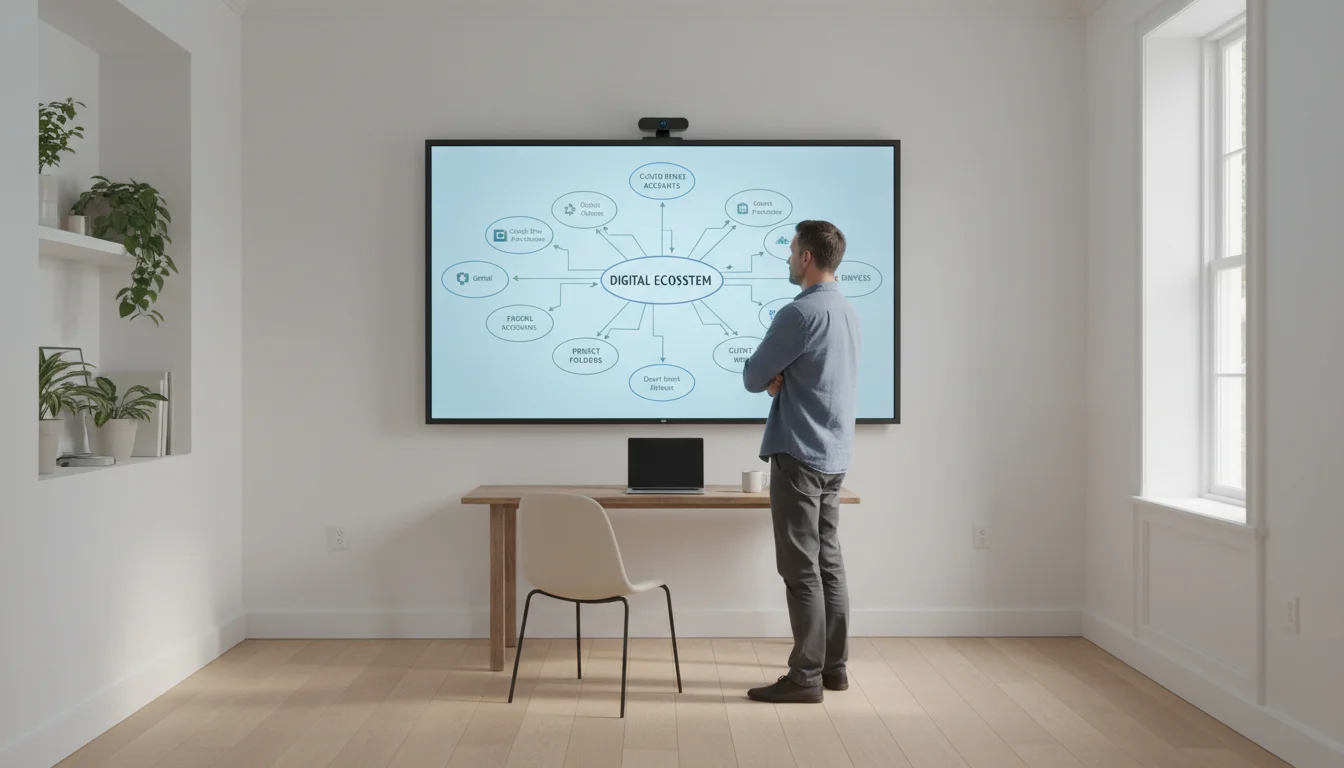
Phase 1: Your Digital Inventory – The Big Picture
Before you dive into deleting, take stock of your entire digital landscape. This initial inventory helps you understand the scope of your digital clutter and identify the areas that demand the most attention. You cannot effectively declutter what you do not recognize as present.
This audit is also the perfect time to transition toward a paperless workflow to prevent future physical and digital buildup.

Step-by-Step Digital Inventory:
- List All Digital Hubs (15-30 minutes): Document every device and service you use. This includes your laptop, desktop, smartphone, tablet, external hard drives, cloud storage (Google Drive, Dropbox, iCloud), email providers, social media platforms, and any online accounts where you store information.
- Estimate Clutter Level (10-20 minutes): For each hub, briefly assess its current state. Is your desktop covered in files? Is your email inbox showing 5,000+ unread messages? Do you have dozens of unused apps on your phone? Acknowledge the current reality without judgment.
- Identify Pain Points (15-30 minutes): Reflect on how digital clutter affects you daily. Do you waste time searching for files? Miss important emails? Feel overwhelmed by notifications? Pinpointing these pain points clarifies your motivation for decluttering and informs your strategy.
This inventory phase serves as your baseline. It prevents you from overlooking hidden stashes of digital junk and prepares you for the focused work ahead. By understanding the full scope of your digital footprint, you can approach the decluttering process strategically and with a clear purpose.
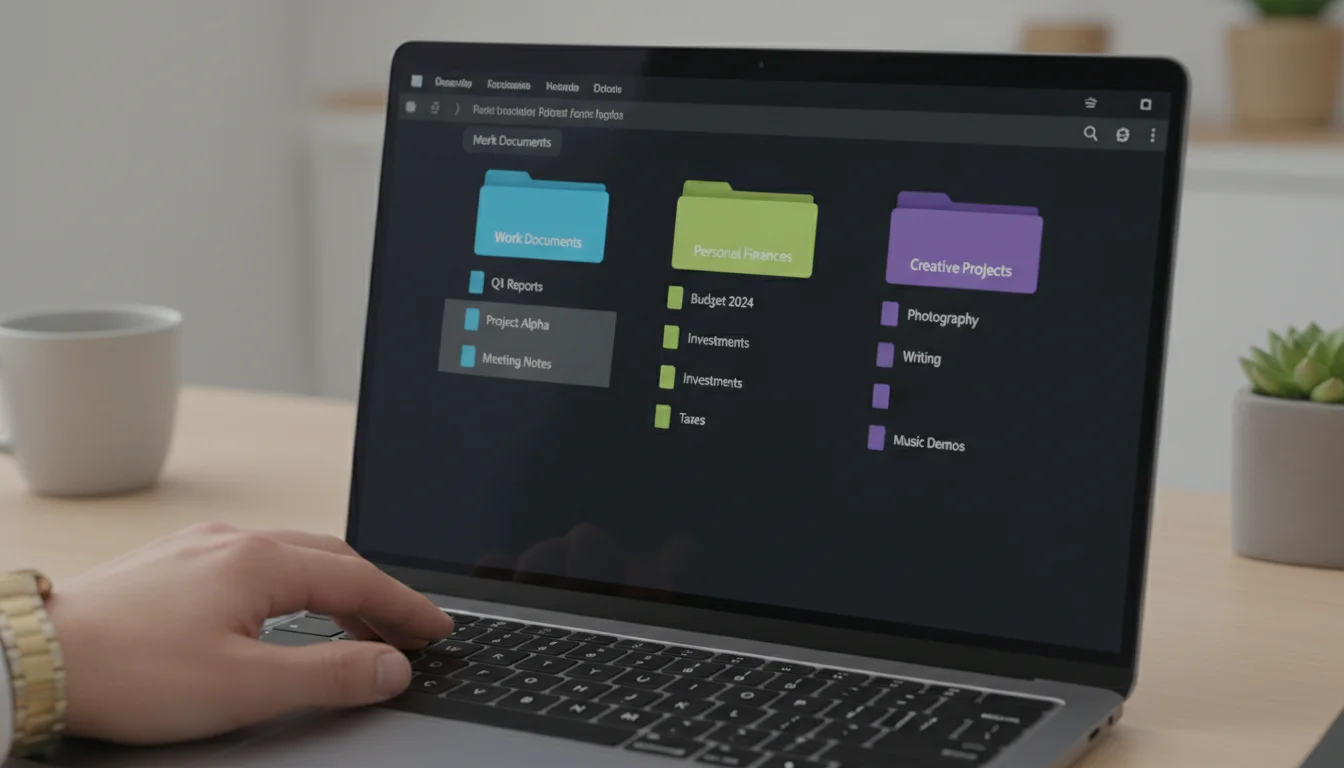
Phase 2: Digital Documents & Files – Sparking Joy in Your Folders
Your document and file organization directly impacts your ability to work efficiently. Disorganized files lead to frustration, lost time, and missed deadlines. Approach this phase by category, such as “Work Documents,” “Personal Finances,” or “Creative Projects,” rather than by location.
To create an even more streamlined environment, try this zen trick for an organized digital workspace.
For a deeper dive into folder structures, check out our guide on how to organize your digital files for maximum efficiency.
Applying KonMari to Your Files:
- Gather by Category (Time Varies): Start with one category, for example, “Work Documents.” Bring all related files from your desktop, downloads folder, specific project folders, and cloud storage into a temporary “processing” folder. The goal is to see everything at once.
- Evaluate Each File: Open each file and ask:
- Is this still relevant to my current work or life?
- Does it serve a clear purpose or provide value?
- Would I need this information again?
- Is it a duplicate of something I already have?
If a file does not meet these criteria, it is a candidate for deletion. Be ruthless but practical.
- Create a “To Delete” Folder (Ongoing): Instead of permanent deletion immediately, move unwanted files to a clearly labeled “To Delete” folder. Review this folder in a week or two. If you have not needed anything from it, you can empty your trash confidently.
- Establish a Logical Folder Structure (1-2 hours): Design a hierarchical system that mirrors how you think and work. Use clear, concise folder names.
- Example Structure:
- My Documents
- Work
- Client A (Project X, Project Y)
- Admin
- Personal
- Finances (Taxes 2023, Bills)
- Travel (Trip 2024)
- Work
- My Documents
Consistency is key.
- Example Structure:
- Process and Store (Ongoing): Once you decide to keep a file, move it directly into its designated, organized folder. Avoid leaving files on your desktop, which should ideally remain clear for active projects. Consider using a standardized naming convention, such as “YYYY-MM-DD_ProjectName_DocumentTitle.”
This process transforms your file system from a digital dumping ground into a precise, navigable archive. You will experience significantly less friction when searching for information, boosting your productivity and reducing stress.

Phase 3: Email & Communication – Taming the Inbox Tidal Wave
Email is often the most overwhelming source of digital clutter. An overflowing inbox creates a constant sense of unfinished business. Applying KonMari to email involves ruthless deletion, strategic archiving, and smart automation.
Learning how to organize your inbox is essential for reducing the mental noise that constant notifications create.

Actionable Steps for Email Decluttering:
- Unsubscribe Relentlessly (30-60 minutes): Go through your inbox and identify newsletters, promotional emails, and notifications you no longer read or find valuable. Unsubscribe immediately. Use services that help you unsubscribe in bulk if you have many.
- Process in Batches: Set aside dedicated time blocks for email processing, perhaps 15-20 minutes, two or three times a day. Avoid checking email constantly. This approach allows for focused processing without constant interruption.
- Apply the Four D’s: For each email, make a quick decision:
- Delete: If it provides no value, delete it. This is your primary action.
- Do: If it requires a quick action (e.g., reply), do it immediately if it takes less than two minutes.
- Delegate: If someone else can handle it, forward it.
- Defer: If it requires more time or attention, move it to a “To Do” or “Action” folder, or add it to your task list.
- Create Essential Folders: Limit your email folders to only what you truly need. Common useful folders include:
- Action: For emails requiring a response or task.
- Archive: For emails you might need for reference but do not require action.
- References: For important information like receipts, booking confirmations, or contact details.
Avoid creating too many folders, which can become another form of clutter.
- Leverage Rules and Filters (30-60 minutes): Automate email sorting. Set up rules to automatically move emails from specific senders or with certain keywords into designated folders or even to the trash. This dramatically reduces the volume hitting your primary inbox.
An organized email system reduces cognitive load, allows you to respond to important communications promptly, and frees you from the constant pull of the inbox. Your goal is an “Inbox Zero” or “Inbox Minimal” approach, where your inbox serves as a processing tray, not a storage unit.

Phase 4: Apps, Software & Devices – Streamlining Your Digital Tools
Just like physical tools, digital applications can accumulate, taking up space and demanding attention without providing commensurate value. On your computer and mobile devices, unused apps can consume storage, run background processes, and contribute to notification fatigue.
Beyond organizing software, you can design your phone for focus by curating your home screen for intentional use.

Decluttering Apps and Devices:
- Review All Installed Applications (1-2 hours per device): Go through every app on your computer, smartphone, and tablet. Be honest about usage. If you have not used an app in the last 3-6 months, consider if it truly serves a purpose.
- Uninstall Ruthlessly: If an app does not provide value, joy, or a clear function, uninstall it. Removing it frees up storage, potentially improves device performance, and reduces visual clutter. For computer software, use your operating system’s uninstall utility.
- Consolidate and Choose Favorites: Many apps perform similar functions. Choose your preferred tool for each task and uninstall the others. For example, stick to one note-taking app or one calendar app.
- Organize Remaining Apps (30-60 minutes):
- Mobile Devices: Group related apps into folders on your home screen. Keep your primary home screen sparse, with only your most frequently used applications. Move less critical apps to subsequent screens or into the app drawer.
- Computers: Pin frequently used apps to your taskbar or dock. Create logical folders in your applications directory if needed, but rely more on search to launch less-used programs. Delete old shortcuts from your desktop.
- Adjust Notifications (30-60 minutes): Go into your device settings and disable notifications for any app that does not require immediate attention. Most apps do not need to notify you constantly. This significantly reduces interruptions and preserves your focus.
- Physical Device Cleanup (15-30 minutes): Remove unnecessary browser extensions that slow down your browsing. Clear browser cache and cookies regularly. Ensure your operating system and essential software are up to date, as updates often include performance improvements and security patches.
By streamlining your digital tools, you create a more efficient and less distracting environment. You launch what you need quickly, without wading through digital detritus. This targeted approach to tech minimalism enhances your interaction with your devices, making them true tools for productivity rather than sources of distraction.

Phase 5: Photos & Memories – Curating Your Digital Archives
Digital photos and videos often become a forgotten archive, accumulating into massive, unwieldy collections. While memories are precious, a disorganized photo library makes it nearly impossible to find specific moments or truly appreciate your visual history. This phase requires patience but yields significant emotional and practical benefits.

Decluttering and Organizing Photos:
- Gather All Photos (Time Varies, can be hours): Consolidate all your photos from various sources: phone, camera, cloud storage, old hard drives, social media downloads, and computers. Bring them into one central location, even if temporary, to get a complete view.
- Delete Duplicates and Blurs (Time Varies, often 2-4 hours initially): This is the lowest-hanging fruit. Go through and immediately delete exact duplicates, multiple similar shots (keep only the best one or two), blurry images, and accidental photos. You might find automated tools to help identify duplicates, but human review is usually best for quality.
- Categorize and Decide What to Keep (Time Varies, significant effort):
- KonMari Question: Does this photo bring back a cherished memory, serve as important documentation, or spark joy?
- Practical Tip: Focus on events or periods. Sort photos by year, then by event (e.g., “2023_FamilyVacation_Hawaii”).
- Consider “Photo Albums”: For exceptionally meaningful photos, create smaller, curated digital albums within your main structure.
Do not feel obligated to keep every single image. Quality over quantity applies here.
- Establish a Consistent Folder Structure (1-2 hours): A chronological structure is often easiest to maintain.
- Example:
- Photos
- 2023
- 2023-01_NewYearsParty
- 2023-04_SpringHike
- 2023-08_BirthdayCelebration
- 2024
- 2024-01_SkiTrip
- 2023
- Photos
Use clear, descriptive names for folders and subfolders.
- Example:
- Backup Your Collection (Ongoing): Once organized, ensure your photos are backed up reliably. Use a combination of cloud storage and an external hard drive for redundancy. Losing precious memories due to a single point of failure is easily preventable.
Curating your digital memories allows you to truly cherish them. Instead of a daunting mass, you will have a beautiful, accessible archive that reflects your life’s most meaningful moments. This decluttering process provides a sense of accomplishment and nostalgia.

Maintaining Your Digital Serenity: Habits for Lasting Order
Decluttering is a significant first step, but maintaining digital order requires ongoing habits. Without consistent effort, clutter will inevitably creep back in. Establishing routines helps you keep your digital environment streamlined and your focus sharp.
Pairing your organized system with a weekly digital detox ritual ensures you stay mindful of your technology usage.
To complement these habits, you can also implement the secret zen trick to a perfectly organized digital workspace for an even cleaner desktop experience.
Integrating these tasks into a 10-minute daily tidy-up ensures your digital space remains clear without requiring massive overhauls.

Key Habits for Sustained Digital Organization:
- Daily “Digital Tidy-Up” (5-10 minutes): Dedicate a few minutes each day to process new emails, clear your desktop of temporary files, and quickly file new documents. This prevents small tasks from accumulating into overwhelming projects.
- Weekly Review (30-60 minutes): Once a week, conduct a slightly longer review.
- Empty your “To Delete” folders.
- Review your “Downloads” folder and process new files.
- Check your email “Action” folder and address pending tasks.
- Quickly review your phone’s apps for any new, unused ones.
This proactive check-in maintains your progress.
- “Touch It Once” Principle: Whenever you interact with a digital item (email, file, photo), try to process it immediately. If you download a document, file it in its correct location right away. If you open an email, make a decision about it rather than just closing it to deal with later.
- Mindful Downloads: Before downloading anything, ask if you truly need it. If you download it, immediately save it to its designated folder. Avoid the default “Downloads” folder becoming a graveyard.
- Curate Your Digital Inputs: Be intentional about what you subscribe to, what apps you download, and what information sources you engage with. Just as you declutter existing items, prevent new clutter from entering your system.
- Regular Backups: Schedule automated backups for your essential files, documents, and photos. This safeguard protects your organized digital life from unforeseen data loss.
These consistent habits integrate digital organization into your routine, making it a natural part of your productive workflow. You spend less time managing your digital tools and more time using them for their intended purpose, leading to sustained focus and efficiency.

Troubleshooting Common Digital Decluttering Challenges
Digital decluttering, like its physical counterpart, comes with its own set of hurdles. Recognizing these common pitfalls helps you navigate them effectively and avoid getting stuck.
Addressing Obstacles:
- “I Might Need It Later” Syndrome: This is the digital equivalent of hoarding. For files, create an “Archive” folder for items you are unsure about deleting but do not need actively. Review this folder quarterly. For emails, move them to a general “Archive” rather than cluttering your inbox. Remember, digital storage is vast, but mental clarity is finite.
- Overwhelm from Sheer Volume: When faced with thousands of files or emails, start small. Pick one subfolder, one email label, or just the current month’s photos. Work in short bursts of 15-30 minutes. Celebrate small victories. The KonMari method itself advises tackling categories sequentially to manage this feeling.
- Fear of Deleting Important Data: Implement a temporary “To Delete” folder or use your operating system’s trash/recycle bin for a buffer period (e.g., 30 days) before permanent deletion. Always back up critical data before a major purge.
- Lack of a Clear System: If you struggle to categorize, simplify. Start with broad categories like “Work,” “Personal,” and “References.” Refine as you go. The best system is one you will actually use, not necessarily the most complex one.
- Digital Tools Getting Out of Sync: If you use multiple cloud services or devices, ensure they sync correctly. Regular checks prevent fragmented data. Consider consolidating to fewer services where practical.
- Notifications Creeping Back In: Periodically review your app notification settings. New apps or updates might re-enable notifications you previously turned off. Make it a part of your weekly digital tidy-up.
Approaching these challenges with patience and a problem-solving mindset ensures that your digital decluttering journey remains effective. Every digital space is unique, so tailor your solutions to your specific workflow and needs.
Frequently Asked Questions
What if I have an overwhelming amount of old work files from previous jobs?
For old work files, evaluate their legal or professional necessity. If they are no longer required, consider moving them to a single, compressed “Legacy Work Archive” folder on an external hard drive or cloud storage, then removing them from your primary active drives. This frees up immediate space and mental load without permanent deletion of potentially sensitive data.
How often should I digitally declutter?
Major digital decluttering, like the initial KonMari process, is often a biannual or annual event. However, daily and weekly “digital tidy-ups” are crucial for maintenance. These consistent, small efforts prevent clutter from accumulating to an overwhelming degree again.
Is it better to use cloud storage or local storage for organized files?
Many professionals use a hybrid approach. Cloud storage offers accessibility from anywhere and robust backup features, making it excellent for active and frequently accessed files. Local storage, especially external drives, can be useful for large archives, sensitive data not suitable for cloud, or comprehensive backups. Choose based on your access needs and security considerations.
What’s the best way to handle digital subscriptions or memberships?
Treat digital subscriptions like apps. If you do not actively use or benefit from a service, cancel it. Review your bank statements or subscription management tools annually to identify and eliminate forgotten or unused subscriptions. This not only declutters your digital life but also saves money.
How can I manage social media clutter and its impact on focus?
Social media often generates significant digital noise. Unfollow accounts that do not add value or promote negativity. Curate your feed to focus on information that inspires or informs you. Consider setting time limits on social media apps or designating specific times for checking them to prevent constant distraction. You control your feed, not the other way around.
I still feel overwhelmed after decluttering. What am I missing?
Digital decluttering is a process that integrates with your overall organized living strategy. If you still feel overwhelmed, consider if other areas of your life need attention, such as time management techniques, setting boundaries, or practicing digital mindfulness. Sometimes, cognitive overload stems from more than just digital mess, so evaluate your overall approach to productivity and well-being.
This information is for general informational purposes only and does not constitute professional advice. While we aim to provide helpful and actionable insights, individual results and situations vary. Always seek the advice of qualified professionals for specific concerns.







Leave a Reply