


To clear mental clutter before organizing your themes, consider starting with a comprehensive brain dump to capture all outstanding commitments.
You look at your calendar, and it looks like a battlefield. A 10 AM meeting here, a 2 PM deadline there, and a hundred tiny tasks scattered in between. You spend your day bouncing from one thing to another, feeling busy but not productive. By 5 PM, you’re exhausted, but your most important work is still sitting on your to-do list. This is the reality for countless busy professionals and students, especially those navigating the constant demands of city life. You have the ambition, but your schedule is working against you.
The problem isn’t a lack of effort. It’s a lack of focused structure. Many popular productivity systems are either too rigid for the real world or too loose to provide any real guidance. You need a plan that bends without breaking, one that brings clarity to the chaos without boxing you into an inflexible minute-by-minute schedule. You need a way to dedicate meaningful energy to what matters most.
This is where the theme day method comes in. It’s a simple, powerful strategy for organizing your week around your priorities. It’s not about scheduling every second; it’s about setting a clear intention for each day. This guide will show you exactly how to use “theme days” to reclaim your time, deepen your focus, and finally make consistent progress on your biggest goals. This is your blueprint for turning fragmented days into powerful, productive blocks of time.
📚 Table of Contents
- The Core Idea: What is the Theme Day Method?
- Setting Up Your Theme Day Calendar
- Step 1: Identify Your Core Work Categories
- Step 2: Assign a Theme to Each Day
- Step 3: Configure Your Calendar
- Step 4: Schedule Buffers and Transit
- A Week in Action: Executing Your Theme Days
- Guardrails: Handling Interruptions and Overruns
- Optimization: The Weekly Review
- Real-World Scenarios: Theme Days for Different Roles
- Frequently Asked Questions (FAQ)
- What if my job is inherently reactive, like customer support or sales?
- How strict should I be with the themes? Can I do a small admin task on a “Creative” day?
- My boss or team constantly schedules meetings that ruin my themes. What can I do?
- Is it okay to have the same theme for more than one day?
- This system feels a bit too rigid for me. How can I build in flexibility?
- Your Next Steps: Putting Theme Days into Practice This Week
The Core Idea: What is the Theme Day Method?
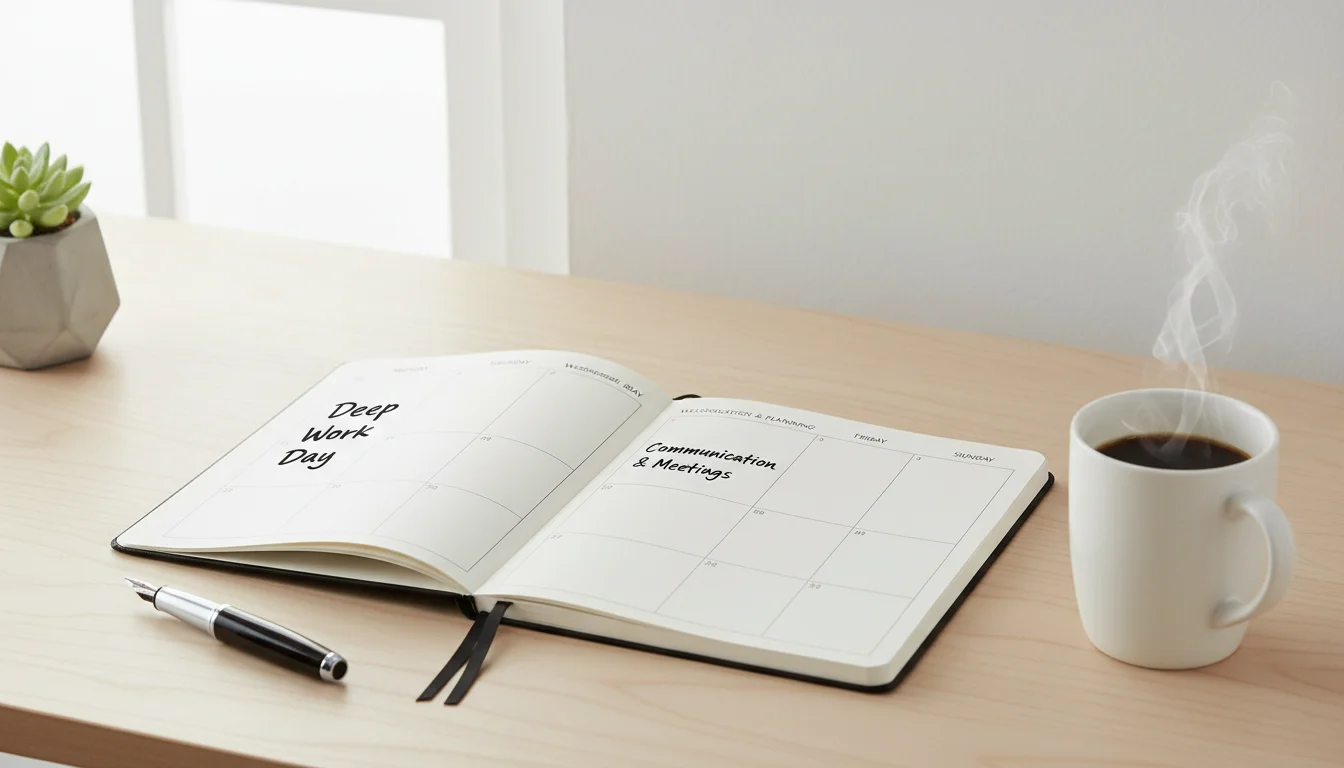
At its heart, the theme day method is a strategy where you assign a single, dominant category of work or a specific focus to each day of the week. Instead of trying to do a little bit of everything every day, you dedicate entire days to related activities. Think of it as large-scale task batching. On Monday, you might focus solely on deep, creative work. On Tuesday, you might handle all your meetings and communication. On Friday, you could clear out all your administrative tasks.
This approach directly combats one of the biggest silent killers of productivity: context switching. Context switching is the mental effort required to shift your attention from one unrelated task to another. According to research referenced by the American Psychological Association, even brief mental blocks created by shifting between tasks can cost as much as 40 percent of someone’s productive time. When you jump from writing a report to answering emails to planning a project, your brain has to constantly reload different contexts, draining your mental energy and shattering your focus.
Theme days minimize this friction. By dedicating a whole day to “Writing,” for example, your brain can remain in that single context for an extended period. The mental runway is cleared. You don’t have to spend precious energy re-engaging with the task after every interruption. This is how to focus on one thing on a macro scale. It creates momentum and allows you to enter a state of deep work, or “flow,” where you are fully immersed and performing at your peak.
The method is fundamentally different from other popular techniques. For instance, time blocking involves scheduling every part of your day into specific blocks, like “9-11 AM: Work on Project X.” Timeboxing is similar but sets a fixed time limit for a task, such as “Spend 25 minutes on email.” Theme days work at a higher level. A “Client Work” theme day might contain several time blocks for different client projects, but the overarching focus remains the same. This provides structure without the suffocating rigidity of a minute-by-minute plan.
The power of the theme day method also lies in its ability to manage expectations—both your own and others’. When your team knows Tuesday is your “Meeting Day,” they’re more likely to schedule calls then. When you know Friday is “Admin Day,” you can collect small, nagging tasks throughout the week and tackle them all at once, confident they have a designated home. This proactive approach helps you control your schedule, rather than letting it control you.

Setting Up Your Theme Day Calendar
Transitioning to the theme day method is straightforward. You don’t need fancy software; your existing digital calendar (like Google Calendar or Outlook) or a simple paper planner will work perfectly. The goal is to create a clear, at-a-glance view of your week’s intentions.
Applying the Pareto Principle can help you identify the 20% of work categories that drive the majority of your results.

Step 1: Identify Your Core Work Categories
First, identify the major buckets of work you are responsible for. Don’t get too granular yet. Think in broad categories. For a consultant, these might be “Client Delivery,” “Business Development,” “Marketing,” and “Admin.” For a student, they might be “Lectures & Labs,” “Research & Writing,” “Study & Review,” and “Personal Errands.” Aim for 4-6 primary categories that cover the bulk of your responsibilities.

Step 2: Assign a Theme to Each Day
Now, assign one of these categories to each workday. Be strategic. Consider your natural energy levels and your environment. For example:
Monday: Deep Work Day. Start the week with high-focus, high-value tasks. This is when your willpower is often at its highest. Protect this day from meetings as much as possible.
Tuesday: Collaboration & Meeting Day. Batch all your internal and external calls on this day. This contains the interruptions and allows you to be fully present and “on” for others.
Wednesday: Execution & Project Day. This is for the “doing”—the project work that moves things forward but may not require the intense, uninterrupted focus of Monday.
Thursday: Learning & Planning Day. Dedicate this day to professional development, reviewing progress, and planning for the upcoming week or projects.
Friday: Admin & Wrap-Up Day. Use this day for emails, expense reports, organizing files, and clearing the decks before the weekend. This prevents small tasks from cluttering your high-focus days.

Step 3: Configure Your Calendar
Once you have your themes, it’s time to put them on your calendar. Create an all-day recurring event for each day of the week with the theme as the title (e.g., “THEME: Deep Work”). Using a consistent prefix like “THEME:” makes it easy to see your intention.
Color-coding is your best friend here. Assign a unique color to each theme. For example, Deep Work could be blue, Meetings green, and Admin grey. This visual cue gives you an instant sense of your day’s texture without needing to read a single word. It makes your entire week comprehensible at a glance.

Step 4: Schedule Buffers and Transit
A pragmatic plan accounts for reality. If you are a hybrid worker living in an urban area, your commute is a real commitment. Block it out on your calendar. Similarly, schedule buffer time between meetings or major tasks. A 15-minute buffer after a 90-minute call gives you time to decompress, grab water, and review notes before diving into the next thing. Ignoring these transition periods is a common reason why highly structured schedules fail. Your theme days should provide a framework, not a straitjacket.

A Week in Action: Executing Your Theme Days
Having a well-designed calendar is one thing; living it is another. Let’s walk through what a week using the theme days system might look like for a busy professional. The key is to let the theme be your guide, not your dictator.
Monday is “Deep Work & Strategy Day.” You wake up knowing your primary goal is to make progress on your most cognitively demanding task—perhaps drafting a quarterly business proposal. You turn off email notifications and put your phone in another room. The all-day “Deep Work” block on your calendar serves as a powerful reminder of your intention. You might use the Pomodoro Technique, working in focused 25-minute sprints, but the overarching mission is clear. When a non-urgent email comes in, you don’t feel the pull to answer it immediately. You know that Friday, your “Admin & Comms Day,” is its designated home. You end the day having made significant, tangible progress on something that truly matters.
Tuesday is “Meeting & Collaboration Day.” Your mindset shifts completely. Today is about connection and communication. Your calendar is filled with back-to-back (but buffered!) meetings. Because you’ve batched them, you are fully prepared to be “on.” You’re not trying to squeeze in a bit of “deep work” between calls, a futile exercise that often leads to frustration. Your energy is directed toward listening, contributing, and aligning with your team. During a 30-minute gap, you don’t start a big new task. Instead, you review notes from the previous meeting and prepare for the next one, staying within the day’s theme.
Wednesday is “Execution Day.” You take the strategic plans from Monday and the decisions from Tuesday’s meetings and turn them into action. This is a day for ticking boxes and moving projects forward. The work might be less about pure, deep concentration and more about steady progress across several fronts. You’re building a presentation deck, updating a project plan, or coding a new feature. The theme keeps you focused on output and tangible deliverables.
Thursday is “Learning & Planning Day.” You dedicate the morning to a professional development course or reading industry reports. In the afternoon, you conduct your personal weekly review, assessing progress against goals and planning tasks for the following week. This proactive planning is crucial. You look at next week’s themes and start slotting in tasks, ensuring your most important work has a home on “Deep Work Monday.”
Friday is “Admin & Wrap-Up Day.” This is your day to clear the decks. You process your email inbox down to zero, submit expense reports, organize your digital files, and handle any lingering small tasks you deferred during the week. This day prevents the “death by a thousand cuts” that plagues so many professionals. Leaving the office on Friday with a clean slate provides incredible psychological closure and allows you to fully disconnect over the weekend, which is vital for long-term productivity and well-being. Some studies from institutions like the National Institutes of Health highlight the connection between rest and cognitive performance.

Guardrails: Handling Interruptions and Overruns
No productivity system survives contact with the real world without some flexibility. The theme day method is designed to be a resilient framework, not a fragile set of rules. Here’s how to manage the inevitable disruptions that life and work will throw your way.
Using a framework like the Eisenhower Matrix helps you determine if a last-minute request is truly urgent or can be deferred.

Handling Urgent Meetings and Requests
What happens when your boss schedules a “must-attend” meeting in the middle of your “Deep Work Monday”? First, don’t panic. The system isn’t broken. Your goal is to handle the interruption with intention.
First, question the urgency. A polite response like, “I’m in a deep work session on the Q3 proposal right now. Can this wait until my meeting day tomorrow, or is it time-sensitive?” often works wonders. You’re not saying no; you’re reinforcing your working style and trying to align the request with your schedule.
If the meeting is truly unavoidable, “quarantine” it. Accept the meeting, but then immediately schedule a 15-minute block before it to prepare and a 15-minute block after it to decompress and reset. This prevents the interruption from derailing your entire day. You acknowledge the disruption, contain it, and then deliberately return to your original theme.

Managing Task Overruns
Sometimes, a task simply takes longer than expected. This is a normal part of knowledge work and is explained by concepts like Parkinson’s Law, which states that work expands to fill the time available for its completion. What do you do when your Monday “Deep Work” task spills into Tuesday?
You have a few choices. If the task is nearly complete, you might decide to “steal” the first hour of Tuesday to finish it, preserving your momentum. However, do this consciously. Acknowledge that you are borrowing time from your “Meeting” theme. If the task has a long way to go, it’s often better to stop, make a note of your current progress and next steps, and schedule a new block for it on your next “Deep Work” day. Resisting the urge to let one day’s theme completely overtake the next is key to maintaining the system’s integrity.

Renegotiating Commitments
Theme days give you incredible clarity on your capacity. When someone asks you to take on a new project, you can look at your themed week and see exactly where it might fit. If there’s no room, the theme day system empowers you to have a constructive conversation. Instead of a vague “I’m too busy,” you can say, “My deep work days are fully committed to Project X for the next two weeks. I can start on this new project during my execution block in three weeks, or we can discuss reprioritizing my current commitments.” This shifts the conversation from your personal capacity to a strategic discussion about priorities.

Optimization: The Weekly Review
A great system isn’t static; it evolves. The key to making the theme day method a long-term success is to regularly review and refine it. A 30-minute weekly review, perhaps on your “Planning Day” (Thursday) or “Admin Day” (Friday), is the most powerful habit you can build to support this system.
Setting aside time for a Sunday routine is another effective way to audit your progress and adjust your themes for the following week.
During your review, you’re not just planning the next week’s tasks. You’re analyzing the performance of the system itself. This is where you get honest about what worked and what didn’t. Here are a few simple metrics to track to guide your reflection:

Metric 1: Daily Energy Levels
At the end of each day, give your mental energy a simple rating from 1 (completely drained) to 5 (energized and accomplished). Look for patterns. Are you consistently exhausted after “Meeting Day”? That might be a sign you have too many calls packed in. Perhaps you need to schedule longer buffers or cap the number of meetings. Are you most energized on “Deep Work Day”? That’s a strong signal to protect that time even more fiercely. Your energy is your most valuable resource; align your themes with it. Good sleep is also a major factor, as noted by organizations like the Sleep Foundation, so ensure your schedule allows for proper rest.

Metric 2: Deep Work Sessions Completed
Your goal for a “Deep Work Day” might be two 90-minute, completely uninterrupted sessions. Track how many you actually achieve. If you planned for two but only managed one because of interruptions, that’s valuable data. It tells you that you need to be more disciplined about turning off notifications or communicating your focus time to your team. This metric helps you move from wishful thinking to a realistic understanding of your capacity for intense focus.

Metric 3: Rollover Rate
How many tasks scheduled for a specific theme day had to be “rolled over” to the next day or the following week? A high rollover rate is a red flag. It could mean you’re being too optimistic about what you can accomplish in a day. It might also suggest that a particular theme needs more time. For instance, you might discover that one “Admin Day” per week isn’t enough, and you’d be better off having two half-days dedicated to it instead. This metric is your reality check, helping you align your plans with your actual output.
The weekly review is your feedback loop. Use these simple metrics to ask targeted questions: “Which theme day felt the most successful and why?” “Where did the system break down?” “What one small change can I make next week to improve my focus?” This process of continuous improvement is what turns a good productivity idea into a personalized, highly effective system.

Real-World Scenarios: Theme Days for Different Roles
The beauty of the theme day method is its adaptability. It’s not a one-size-fits-all prescription. Let’s explore how two very different people could apply it to their unique schedules and challenges.

Scenario 1: Sarah, the Hybrid Marketing Manager
Sarah works for a tech company in a major city. Her role requires a mix of creative strategy, team collaboration, and client communication. She works from home three days a week and is in the office two days a week. Her schedule is a constant battle between deep work and meetings.
Sarah’s Challenge: When working from home, she gets pulled into “quick” virtual meetings that derail her creative flow. Her in-office days are chaotic, filled with random drive-by conversations and little focused time.
Her Theme Day Solution:
- Monday (Remote): Deep Content & Strategy Day. Sarah blocks her calendar, sets her status to “Do Not Disturb,” and focuses entirely on writing blog posts, planning campaigns, and analyzing data. She knows this is her most valuable work, aligning with the 80/20 Principle (also known as the Pareto Principle), which suggests that 80% of results often come from 20% of the effort.
- Tuesday (In-Office): Team & Collaboration Day. She schedules all her one-on-ones, team syncs, and brainstorming sessions for this day. She leverages being physically present with her colleagues for high-bandwidth conversations.
- Wednesday (Remote): Campaign Execution Day. This day is for building and launching the campaigns she planned on Monday. It’s focused “doing” work that benefits from a quiet home environment.
- Thursday (In-Office): Client & Stakeholder Day. All external calls, client presentations, and meetings with other departments are batched on this day. She uses the office’s formal meeting rooms and tech resources.
- Friday (Remote): Admin & Planning Day. She clears her inbox, updates her budgets, and plans the following week. She ends the week feeling organized and in control, ready to enjoy her weekend.
By theming her days around her location and work types, Sarah creates a predictable rhythm. Her team learns her schedule, and she finally has the protected time she needs for deep, creative work.

Scenario 2: Ben, the University Student
Ben is a third-year engineering student. His schedule is dictated by a rigid timetable of lectures, tutorials, and mandatory lab sessions. He also has a part-time job on campus and needs to study for exams.
Ben’s Challenge: His “free” time between classes is often fragmented into small, 60-90 minute chunks. He struggles to get into a deep study flow and often resorts to scrolling on his phone instead of using the time productively.
His Theme Day Solution:
- Monday: Lecture & Review Day. After his morning classes, the rest of his day is themed around processing that new information. He rewrites his notes, creates flashcards, and reviews the concepts from his lectures.
- Tuesday: Library Research Day. He has a large block of free time on Tuesdays. He dedicates the entire day to being in the library, working on his term paper. He leaves his laptop charger at home to commit to a focused 3-4 hour session before taking a long break.
- Wednesday: Problem Set & Lab Day. This day is heavy with quantitative work. After his lab session, his theme is to work through all his weekly problem sets for math and physics, keeping his brain in “analytical mode.”
- Thursday: Reading & Part-Time Work Day. He uses the morning to complete all his required readings for the upcoming week. In the afternoon, he works his shift at the campus bookstore.
- Friday: Assignment & Life Admin Day. He focuses on completing and submitting any assignments due. He also uses this day to do laundry, buy groceries, and run errands, batching his personal tasks together.
Ben’s themes are built around his existing commitments. Instead of seeing his schedule as a series of disconnected events, the theme days provide a narrative and a purpose for his unstructured time, helping him know how to focus on one thing and make meaningful academic progress.

Frequently Asked Questions (FAQ)
What if my job is inherently reactive, like customer support or sales?
The theme day method can still be incredibly valuable, but it requires adaptation. You might have a “Reactive” theme for most of the day, but you can still carve out a “Proactive” theme for a specific block of time. For example, your theme for four days a week might be “Client Response.” But on Friday morning, you could have a “Process Improvement” theme, where you spend two hours analyzing support tickets to identify common problems or updating your knowledge base. It’s about creating dedicated space for important, non-urgent work, even in a reactive role.
How strict should I be with the themes? Can I do a small admin task on a “Creative” day?
Think of the themes as strong suggestions, not unbreakable laws. The goal is to reduce context switching, not eliminate it entirely. If a two-minute admin task is causing you mental stress on your “Creative” day, it’s often better to just do it and get it off your mind. The danger lies in letting that one small task turn into 30 minutes of unplanned administrative work. Use the “two-minute rule”: if it takes less than two minutes, consider doing it. If it takes longer, consciously defer it to your “Admin Day.” Be pragmatic, not dogmatic.
My boss or team constantly schedules meetings that ruin my themes. What can I do?
This is a common challenge that requires proactive communication. First, make your themes public. Block out your “Deep Work” time on your shared calendar so colleagues can see you are unavailable. Second, when a conflicting meeting is proposed, offer an alternative that aligns with your themes. For example: “I’m unavailable during my focused work block on Monday morning. Would Tuesday afternoon during my ‘collaboration’ time work for you?” You’re not just declining; you’re educating your team on how you work best, which ultimately benefits everyone.
Is it okay to have the same theme for more than one day?
Absolutely! The themes should reflect the reality of your workload. If you’re a software developer, you might have three “Deep Coding Days” and two “Meeting & Admin Days.” If you’re a writer, you might have a “Research Day,” three “Writing Days,” and one “Editing & Admin Day.” The point is to create large, contiguous blocks for similar types of work. Customize the system to fit your specific role and priorities.
This system feels a bit too rigid for me. How can I build in flexibility?
One of the best ways to build in flexibility is to schedule it. You could make Friday afternoon a “Flex Time” or “Catch-All” theme. This is a pre-planned block of unstructured time that you can use to catch up on any work that has spilled over from other days, explore a new idea, or even end the workday early if you’re on track. Another option is to keep one day of the week completely themeless, allowing for spontaneity. The structure of the other four days often makes this one “free” day feel both liberating and productive.

Your Next Steps: Putting Theme Days into Practice This Week
Reading about a new productivity method is easy. The real challenge, and the real reward, comes from putting it into action. You don’t need to perfectly implement the entire system overnight. The goal is progress, not perfection. Here are three simple, concrete actions you can take this week to start using the theme day method.
1. Identify Your Top 3-5 Work Categories. Before you do anything else, take 15 minutes. Grab a notebook or open a blank document. List out the main “modes” of work you operate in. Think big buckets: “Deep Thinking,” “Communication,” “Routine Tasks,” “Learning.” Getting this clarity is the foundational first step.
2. Theme Just One Day Next Week. Don’t try to overhaul your entire schedule at once. Pick one day next week to be your pilot test. If you’re feeling overwhelmed by meetings, declare next Tuesday “Meeting-Free” and make its theme “Focused Project Work.” Protect that one day fiercely. Experience what it feels like to have eight hours dedicated to a single type of task.
3. Set Up Your Calendar Visually. Open your digital calendar right now. Create all-day, recurring events for next week based on a rough draft of your themes. Assign a color to each one. This simple, five-minute action makes your intentions visible and real. It’s a powerful psychological cue that will help you honor your new structure when the week begins.
The theme day method offers a path out of the chaotic, reactive cycle of modern work. It provides a structure that promotes deep focus, reduces decision fatigue, and empowers you to dedicate your best energy to your most important work. Start small, be consistent, and watch as your fragmented days transform into a week of intentional, productive progress.
Disclaimer: The information provided in this article is for informational purposes only and is not intended to be a substitute for professional medical, financial, or legal advice. Always seek the advice of a qualified professional with any questions you may have.
To better distinguish between genuine crises and minor distractions, you can use the Eisenhower Matrix to evaluate incoming requests before they disrupt your day.
Mastering the art of how to say “no” is essential for maintaining these boundaries and preventing schedule creep.








Leave a Reply