

If your day dissolves into email, a chat reply, two paragraphs of a report, then more email, what drains you is how often you change the kind of thinking you are doing.
Task batching fixes this by grouping work that uses the same mental mode into one block, so you pay the cost of switching once instead of thirty times. Sort your tasks into Maker, Manager and Marketer modes, give each mode its own recurring block, and move email and meetings into fixed windows your colleagues know about.
Why changing task types costs more than it looks
Lab research on task switching is consistent: when people alternate between tasks with different rules, responses get slower and error rates rise, because the brain has to reconfigure for the new task each time. The cost appears even when the switch is predictable and the tasks are simple.
A second cost follows you out of the old task. Sophie Leroy called it attention residue: when you leave something unfinished, part of your attention stays on it and your performance on the next task suffers. Answering one email mid-draft leaves residue in both directions.
You may have seen the claim that switching wastes 40% of productive time. That figure comes from a 2006 American Psychological Association article quoting psychologist David Meyer, and it was his estimate of the upper limit, not a measured average. The honest takeaway is narrower but still useful: every switch has a price, and frequent switching adds up.

Sort your work into Maker, Manager and Marketer modes
Most batching advice groups tasks by tool (all email, all calls). Grouping by cognitive mode is more useful, because two tasks in the same tool can demand very different thinking.
The Maker and Manager labels come from Paul Graham’s essay on the maker’s schedule and the manager’s schedule. We add a third mode, because most people also do outward-facing work that is neither creating nor coordinating:
- Maker: producing something new that needs sustained concentration. Writing, design, code, analysis, strategy. This is what Cal Newport calls deep work, as opposed to shallow logistical tasks.
- Manager: responding, coordinating and maintaining. Email, chat, meetings, invoices, approvals, scheduling.
- Marketer: making your work visible. Social posts, portfolio updates, status reports, pitches, newsletters, networking messages.
The rule: batch by mode, not by project. A freelance animator with three client projects should not do Project A’s animation, emails and invoice together. She animates scenes for all three in one block, handles all three clients’ email in another, and invoices all three on Friday.
| Batch type | Typical tasks | Mode | Ideal frequency | Duration |
|---|---|---|---|---|
| Comms/email | Inbox, team chat, voicemail, DMs | Manager | 2-3 times a day | 20-30 min |
| Meetings/calls | 1:1s, check-ins, client calls | Manager | Afternoons, back to back | Stacked in one stretch |
| Admin/finance | Invoices, expenses, approvals, travel booking | Manager | Weekly | 45-60 min |
| Deep creative | Writing, design, coding, analysis | Maker | Daily, at peak energy | 90-180 min |
| Visibility | Social posts, portfolio, status updates, pitches | Marketer | 1-3 times a week | 30-45 min |
| Learning | Courses, industry reading, documentation | Maker (light) | Weekly | 60 min |
| Errands | Post office, pharmacy, groceries, returns | Logistics | Weekly, one route | One trip |
Set up your batches in five steps
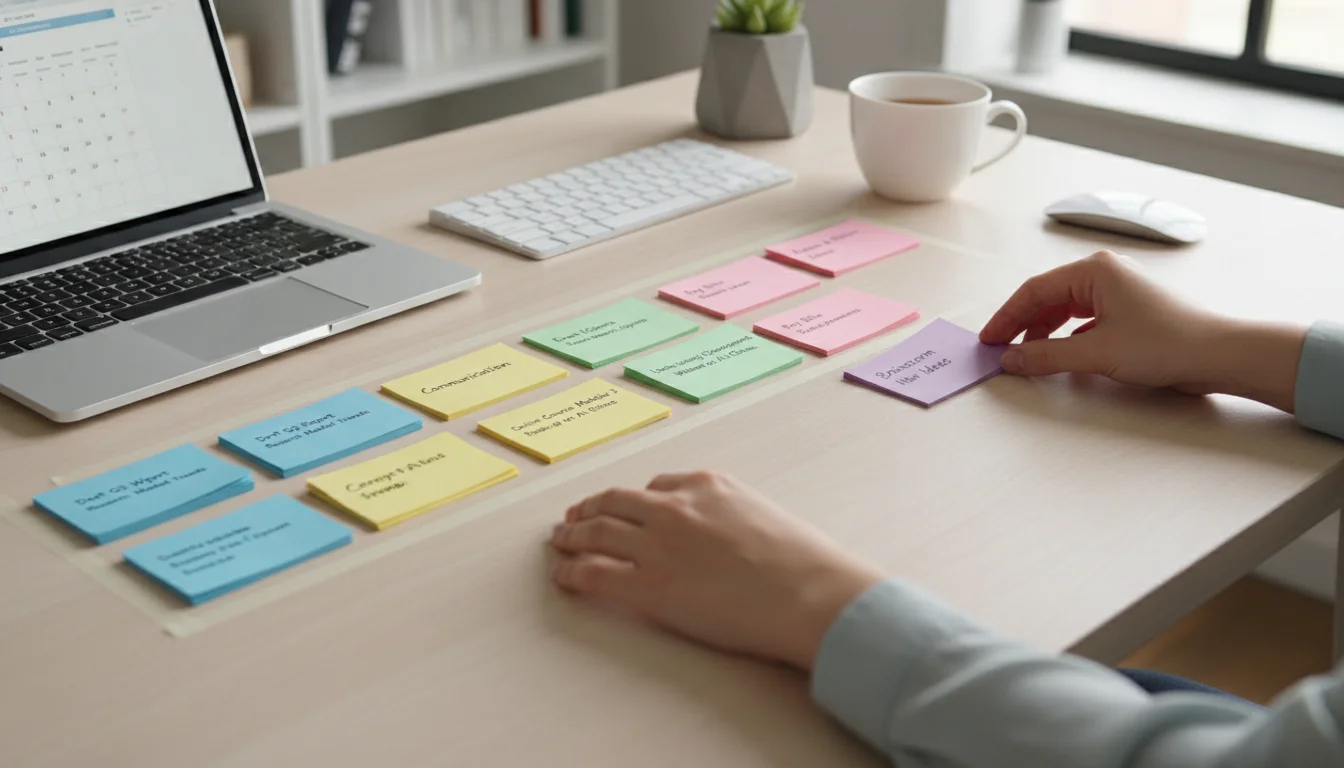
- List one real week of tasks. Pull them from last week’s calendar, sent mail and task manager, not from memory. Aim for 30-60 items.
- Tag each with a mode. Maker, Manager or Marketer. If a task mixes modes (“write and send proposal”), split it: drafting is Maker, sending and follow-up are Manager.
- Assign cadence and length from the table, then adjust. If your inbox takes 50 minutes a day, three 20-minute windows will overflow; use two 30-minute windows plus one 10-minute triage.
- Put the batches on your calendar as recurring events. In Google Calendar on a work account, Focus Time events can mute chat notifications and auto-decline meetings booked over them; Microsoft 365 offers a similar focus plan in Viva Insights. If you have neither, our guide to time blocking covers manual setups.
- Publish your response windows. Tell your team when you answer messages and how to reach you for genuine emergencies. A batch nobody knows about gets interrupted.
Email and meeting schedules that hold up
Email: three windows, none first thing
The best evidence for batching comes from email. In a field experiment by Kostadin Kushlev and Elizabeth Dunn, people told to check email three times a day reported lower daily stress than when they checked freely. The study measured wellbeing rather than output, so it supports calmer days, not more work done.
A schedule that fits most office roles: 11:00, 14:00 and 16:30, 20-30 minutes each. Starting at 11:00 protects the morning Maker block; the 16:30 window catches anything that must be answered the same day. Close the email tab between windows and turn off badges, using our guide to designing your phone for focus to quiet mail alerts on mobile too. Inside each window, a consistent process matters as much as timing; see our email workflow guide.
Meetings: stack them into one part of the day
Picture a team lead with 12 recurring meetings a week, scattered between 9:00 and 17:00. Moved into back-to-back slots after 13:30 on the days they already fall, the same 12 meetings leave every morning clear for Maker work. The meeting hours don’t change; the number of mornings broken by a meeting drops from five to zero.
Two supporting rules make this stick. Offer a fixed “office hours” slot for quick questions so they stop arriving as chat pings. And when someone asks for a morning slot, propose the nearest afternoon opening first.

Batching vs. time blocking, theme days and Pomodoro
These methods overlap and combine well. Batching decides what goes together; the others decide when and how long.
| Method | What it decides | Use it when |
|---|---|---|
| Task batching | Which tasks share a block | Your day is fragmented by many small, similar tasks |
| Time blocking | When each block happens | Batches keep getting pushed aside by whatever is loudest |
| Theme days | One mode for a whole day | You control your calendar and switching modes within a day still costs too much |
| Pomodoro | Work-and-break rhythm inside a block | You struggle to start or sustain a long Maker batch |
A solo animator might combine all four: a three-hour Maker batch each morning for animation (time-blocked), a 90-minute Manager batch after lunch for client email, invoicing and render delivery, a 45-minute Marketer batch to finish the day, and Friday themed entirely to admin and showreel updates.
When a batch overflows or gets interrupted
- The batch overflows. If email regularly runs over, the window is too small or the volume too high. Add a short triage pass or reduce what lands in the inbox before you lengthen the window.
- Something urgent arrives mid-batch. Write it on a capture list and ask one question: will waiting until this block ends cause real harm? If not, it goes in the next Manager batch.
- Residue from the last block. Before switching, spend 60 seconds writing where you stopped and the very next action. This gives the unfinished task a parking place so it pulls less on your attention.
- Mixing modes inside a batch. Drafting and editing feel like the same task but use different thinking. Draft in one Maker block, edit in a later one.
- Batching things that should be immediate. A blocked teammate, a client in crisis, or a two-minute approval holding up a project may be worth the switch. Batching reduces switches; it doesn’t ban them.
Five days to your first batched week
- Day 1: List last week’s tasks and tag each Maker, Manager or Marketer.
- Day 2: Set three email windows and close the inbox between them.
- Day 3: Book one daily Maker block of at least 90 minutes at your sharpest hour, with focus settings on.
- Day 4: Move movable meetings into a single afternoon stretch and announce your office-hours slot.
- Day 5: Run one weekly admin batch and one Marketer batch, then note which blocks overflowed and resize them for next week.
After a week, keep the batches that held and fix the ones that broke. The goal is fewer changes of mode per day, not a perfectly colour-coded calendar.





7 Comments