

You want a free app to get your days under control, and every roundup says all five popular options are great. The useful question is different: which free tier will still fit in three months, after your projects multiply and a colleague asks to join your board?
The short answer: Google Calendar for scheduling time, Todoist for personal task lists with five or fewer projects, Trello for visual boards shared by ten or fewer people, Clockify for finding out where your hours go, and Notion if you work alone and want to build your own system. The table below shows the exact limits behind each recommendation.
The five free tiers side by side
| App (free plan) | Primary use | Free tier limits | Offline access | Platforms |
|---|---|---|---|---|
| Google Calendar | Scheduling and time blocking | No calendar-specific caps for personal use; storage is the 15 GB shared across your Google account | Mobile apps show synced events; web offline mode must be switched on in Chrome | Web, Android, iOS (no native desktop app) |
| Todoist (Beginner) | Personal task lists | 5 active projects including sub-projects; 300 active tasks per project; no custom reminders, calendar layout or task durations | Apps keep working offline and sync later | Web, Windows, macOS, Linux, Android, iOS |
| Trello (Free) | Visual Kanban boards | 10 open boards per workspace; 10 collaborators including guests and pending invites; 10 MB per attachment | Mobile apps can work offline; web needs a connection | Web, Windows, macOS, Android, iOS |
| Clockify (Free) | Time tracking | Unlimited tracking and projects; 5 active users per workspace; reports limited to a 31-day date range | Desktop and mobile apps record offline and sync | Web, Windows, macOS, Linux, Android, iOS, browser extensions |
| Notion (Free) | Notes, docs and custom databases | Unlimited blocks for one member plus up to 10 guests; block trial once a second member joins; 5 MB per upload | Selected pages can be kept offline in desktop and mobile apps | Web, Windows, macOS, Android, iOS |
Start with the bottleneck, not the feature list
Most abandoned productivity apps were chosen for features their owners never needed. Name the problem you actually have, then pick the tool built for it:
- “I never know what to work on next.” Start with Todoist and get every loose task into one list you trust, so choosing the next action takes seconds instead of a search.
- “I know what matters but never get time for it.” Start with Google Calendar and give important work a slot, not just a spot on a list.
- “My project has many stages or many people.” Start with Trello, as long as the headcount fits.
- “My days disappear and I can’t say where.” Run Clockify for two weeks before changing anything else.
- “My notes, tasks and reference material live in five places.” Consider Notion, but only if you are the sole member of the workspace.
Where each free tier stops
Google Calendar: fully free, but only a schedule
For personal use, Google Calendar has no paid tier you are missing. Its strength is time blocking: create separate calendars such as Deep Work, Meetings and Admin, give each a colour, and the week view shows at a glance whether meetings are crowding out focused work.
Its weakness is that it is not a task manager. Events tell you when, not what, so pair it with a list app rather than stuffing to-dos into event descriptions.
Todoist: five projects is the real ceiling
The free Beginner plan caps you at 5 active personal projects, sub-projects included, and 300 active tasks per project. The project cap is the one people hit, usually because they create a project for every client or course.
Design around it from day one. A freelance virtual assistant with eight clients would run out of projects on the first afternoon; one Clients project with a section per client keeps every inbox chore and scheduling request in place while staying well inside the limit. Custom reminders, the calendar layout and task durations require Pro, so if you want tasks to carry time estimates, that is the upgrade trigger.

Todoist works best as the capture and next-action layer of a system like Getting Things Done, with the calendar holding only commitments tied to a time.
Trello: count collaborators before you invite anyone
Trello’s free plan allows up to 10 open boards per workspace, up to 10 collaborators and a 10 MB cap per attached file. The collaborator rule, enforced by Atlassian since 2024, counts members, guests and pending invitations together, and a workspace that exceeds it has its boards turned view-only.
That catches small teams off guard. A studio with six staff that invites five client contacts as guests reaches 11 collaborators and loses editing on every board. Before inviting anyone, count the people already in the workspace, including invites nobody accepted.
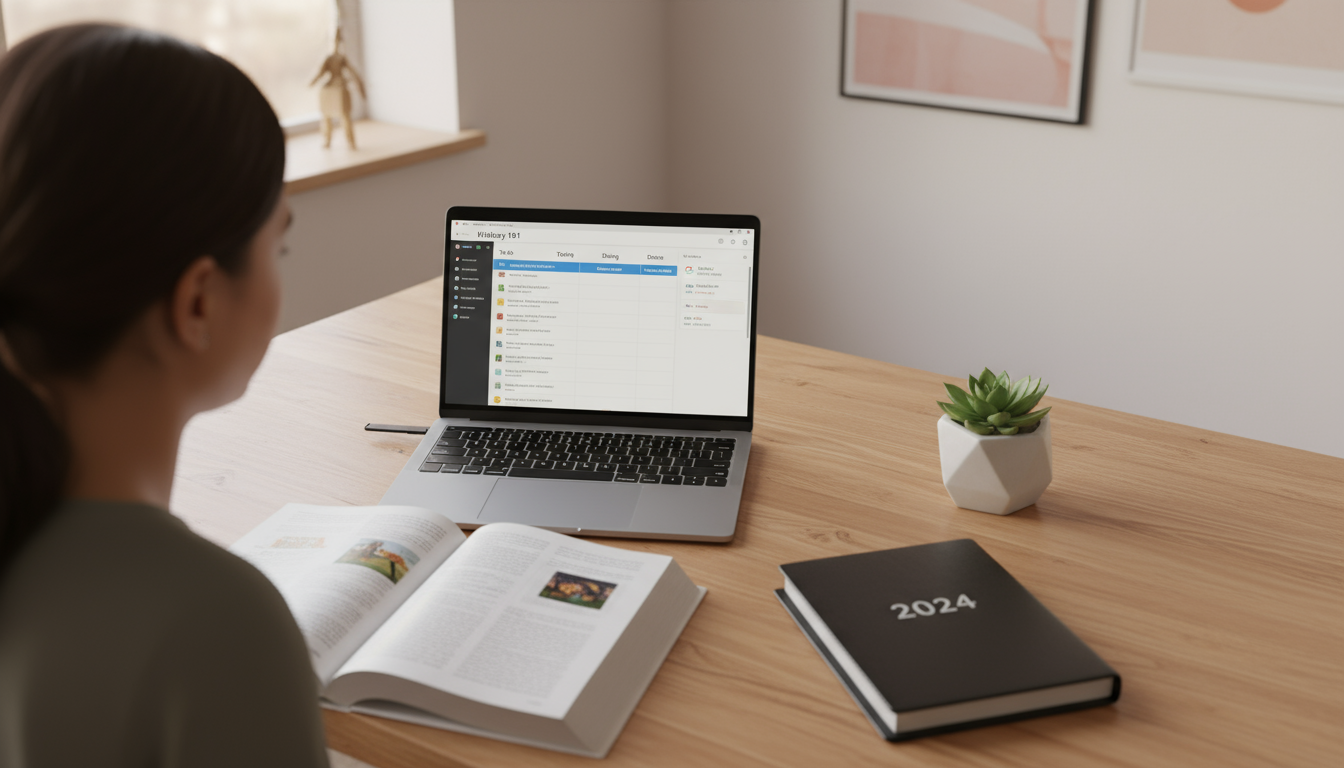
If you are new to boards, a simple Kanban layout of To Do, Doing and Done covers most personal projects before you add more columns.
Clockify: generous tracking, smaller team cap
Clockify’s free plan still includes unlimited time tracking, unlimited projects and PDF report exports, which is why it suits solo diagnosis. Older roundups describe unlimited users; that is no longer true. The current Free Plan caps a workspace at 5 active users, the owner plus four invitees, and limits reports to a one-month (31-day) date range, so export a PDF report at each month’s end if you want your own long-term record.
Paid tiers add more advanced reporting and admin controls, which matter for billing a team, not for understanding your own week. For individuals, the best use is a two-week time audit: one project per area of responsibility, a tag per activity type such as writing, meetings and email, and an honest timer.
Notion: unlimited for one person, a trial for two
Notion renamed its Personal Plan to the Free Plan in 2022, and the generous part only applies to solo use. A Free workspace gets unlimited blocks for a single owner plus up to 10 guests, but adding a second member starts a limited block trial. Uploads are also capped: every file on the Free Plan must be under 5 MB.
So Notion is free for a researcher building a personal second brain, and not free for a team wiki. If you need to collaborate, invite people as guests to specific pages rather than as workspace members. Start with one task database and two filtered views (Today and This Week) before building dashboards.
Two free stacks, with real numbers
A freelance packaging designer running three client projects. Todoist holds a Work project with one section per client, plus Personal and Admin projects: three of the five allowed. Google Calendar carries 12 hours of design time a week as four three-hour blocks, and each Friday the designer drags the next week’s top tasks, such as dieline revisions and print-proof checks, from Todoist into those blocks. Total cost: nothing, with room for two more projects.
A four-person research team writing a grant. One Trello board with Backlog, Drafting, Internal Review and Submitted lists; four members and two external reviewers as guests use 6 of the 10 collaborator slots. Figures larger than 10 MB live in a shared drive and are linked from cards. The team lead tracks drafting hours in Clockify, with all four researchers fitting under the five-user cap.
Keeping a free setup inside its limits
Free tiers fail quietly: you rarely notice the cap until the day you need one more slot. A monthly check against this table prevents most surprises.
| Limit | What happens when you hit it | Fix |
|---|---|---|
| Todoist: 5 active projects | You can’t add another active project | Archive finished projects; use sections instead of new projects |
| Todoist: 300 active tasks per project | No new tasks in that project | Delete stale someday items monthly; split by area |
| Trello: 10 open boards | No new boards in the workspace | Close boards when projects ship |
| Trello: 10 collaborators | Boards become view-only | Revoke unaccepted invites; remove inactive guests |
| Clockify: 5 active users, 31-day report range | No sixth user; reports can’t span more than 31 days | Keep seats for people who track; export reports monthly |
| Notion: second member | Limited block trial begins | Share specific pages with guests instead |
| Notion 5 MB, Trello 10 MB per file | Upload fails | Store large files in cloud storage and link them |
Pick one app for the bottleneck you named, use only its core feature for a month, and add a second tool only when a specific gap appears. Most people need two of these five, not all of them.





1 Comment