Constant pings, flashes, and vibrations pull your attention away from what truly matters. This relentless stream of digital alerts, often referred to as notification overload, fragments your focus, diminishes your productivity, and contributes to increased stress. Taking control of your digital alerts is not about disconnecting entirely; it is about building a more intentional relationship with your technology. You regain valuable time, improve concentration, and enhance your overall well-being. This guide provides a science-aware, step-by-step approach to managing app notifications effectively, helping you stop phone notifications from dictating your day.

The Hidden Cost of Constant Alerts
Your brain is not designed for constant interruption. Each time a notification arrives, it triggers a mini-context switch. Even if you do not immediately check your device, the mere presence of an alert creates “attention residue,” where part of your mind remains occupied with the previous task or the potential new information. This residue significantly degrades performance on your current task.
Gaining a deeper understanding of the science behind digital burnout can illuminate why these constant interruptions are so exhausting for your brain.
In addition to managing external alerts, you can perform mental drills to reclaim your attention and strengthen your ability to resist digital impulses.
Research consistently shows that frequent interruptions lead to longer task completion times and an increased error rate. This is particularly true for knowledge workers who rely on deep concentration for complex problem-solving or creative output. The cumulative effect of these small distractions results in substantial productivity losses over a week or a month. Furthermore, the constant dopamine hits associated with checking notifications can create a behavioral loop, making it harder to resist the urge to check your phone.
Beyond productivity, notification overload impacts your mental health. It elevates stress levels, contributes to anxiety, and can disrupt sleep patterns, especially when alerts persist into the evening. You feel perpetually “on call,” blurring the lines between work and personal life. Taking control of these digital pings becomes a critical step in reclaiming your mental peace and improving overall well-being.
Building Your Digital Wellness Foundation
Digital wellness refers to the intentional and mindful interaction with technology to support your mental, physical, and social health. It moves beyond simply limiting screen time; it emphasizes using technology as a tool to enhance your life, not to detract from it. Establishing a strong digital wellness foundation is the bedrock for effectively conquering notification overload.
Learning how to use technology to find more time for yourself is a vital part of this shift toward intentionality.
This foundation involves understanding your personal values and how technology aligns with them. It means recognizing that your attention is a finite resource. You decide where to direct it, rather than allowing algorithms to dictate your focus. A proactive approach to managing app notifications forms a central pillar of this foundation.
Begin by reflecting on your goals. Do you want to increase deep work hours, spend more quality time with family, or reduce evening anxiety? Clear goals provide the motivation to make lasting changes. Embrace the philosophy that your devices serve you, not the other way around. This perspective shift empowers you to implement the strategies for notification control.
Step One: The Notification Audit
Before you can effectively manage app notifications, you must understand exactly what is vying for your attention. This initial audit phase typically takes 30-60 minutes, but its insights prove invaluable for long-term control. Think of it as a comprehensive inventory of every digital alert you receive.
Audit results often highlight the need for ways to reclaim your attention span that go beyond just muting a single app.
Once you understand your usage patterns, you can learn how to design your phone for focus and productivity by reorganizing your digital workspace.
How to Conduct Your Audit:
- List Every App: Open your phone or computer and make a list of every single app that could possibly send you a notification. Include email clients, social media platforms, messaging apps, news apps, productivity tools, and even system alerts.
- Identify Notification Types: For each app, identify the types of notifications it sends. Do you get banners, sounds, vibrations, lock screen alerts, or badge icons? Note which ones feel urgent and which are merely informational.
- Assess Frequency and Value: Over the next 2-3 days, pay close attention to when and why each notification appears. Ask yourself:
- Does this alert genuinely require my immediate attention?
- Does this notification provide value that outweighs its interruption cost?
- How often does this app send notifications? Is it excessive?
You might discover that many apps send alerts for purely promotional or non-urgent content.
- Categorize for Action: Create three categories for each app’s notifications:
- Essential: Alerts you absolutely need immediately (e.g., critical work alerts, family emergencies).
- Useful, but Not Urgent: Information that is helpful but can be checked on your schedule (e.g., news headlines, non-critical messages).
- Distracting/Unnecessary: Anything that provides minimal value or consistently pulls you off task (e.g., game updates, social media likes, promotional emails).
For example, Sarah, a marketing manager, conducted her audit. She found her email app sent alerts for every single email, regardless of sender or importance. Her news app pinged hourly with headlines she rarely clicked, and her social media apps constantly notified her of interactions. This detailed understanding prepared her for the next step: strategic pruning.
Step Two: Strategic Pruning and Customization
With your audit complete, you now possess the clarity to act decisively. This phase focuses on going into your device settings and systematically adjusting or disabling notifications based on your identified categories. Expect this process to take 60-90 minutes initially, with ongoing minor adjustments. The goal is to stop phone notifications that do not serve your core purposes.
Think of this process as a KonMari Method for your digital life, where you systematically remove the alerts that no longer serve you.
Managing your communications often requires you to detox your inbox to prevent the constant influx of messages from derailing your focus.
Actionable Steps for Pruning and Customization:
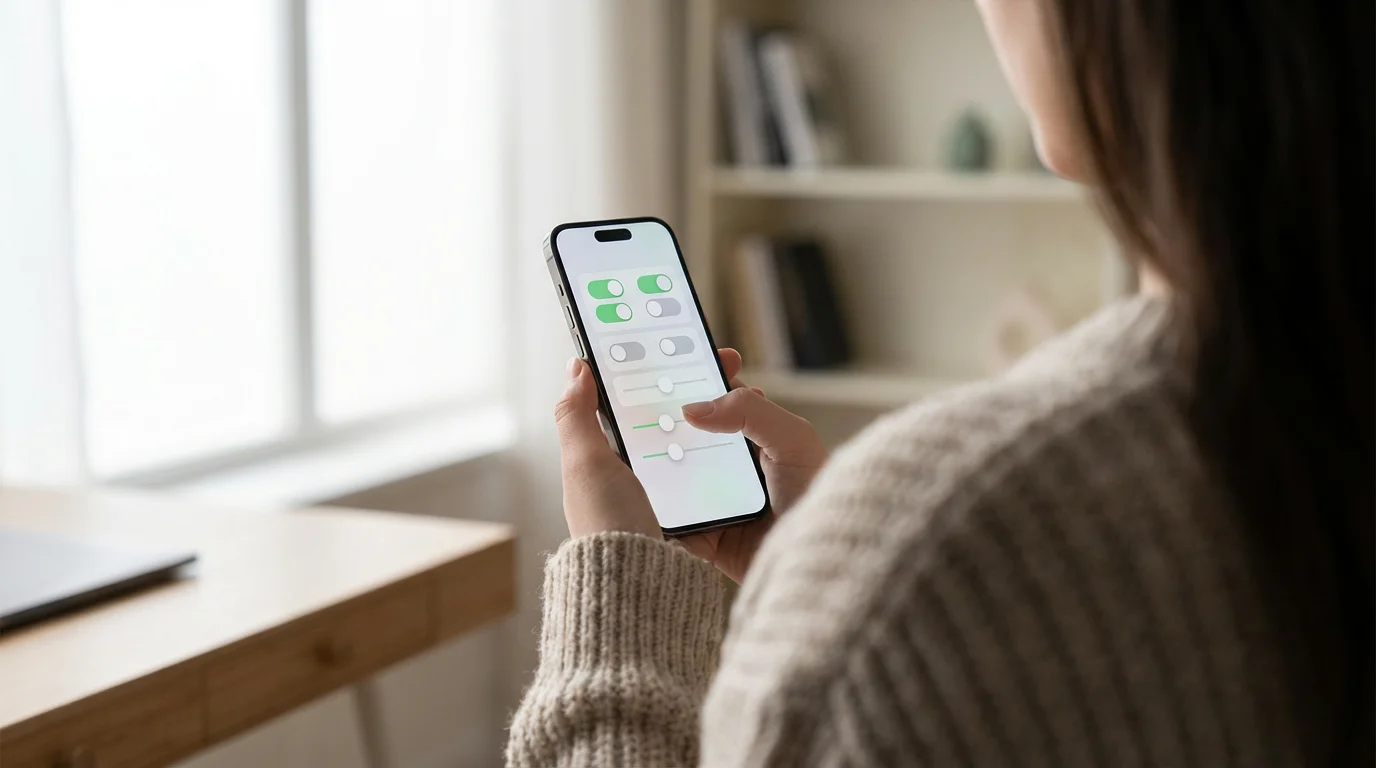
- Disable All Non-Essential Notifications: For every app in your “Distracting/Unnecessary” category, go into your device settings and turn off all notifications entirely. This applies to apps like most games, social media, and many shopping apps. Do not hesitate; these alerts provide little to no value for your focus.
- Customize “Useful, but Not Urgent” Alerts: For apps in this category, be selective. Consider these options:
- Turn off sounds and vibrations: Allow notifications to appear silently as banners or badge icons.
- Disable lock screen alerts: Prevent notifications from appearing when your phone is locked, reducing the urge to check it every time.
- Consolidate to a summary: Many operating systems allow you to receive a daily digest of non-urgent notifications at a specific time.
- Limit to badge icons: Only see a number on the app icon, prompting you to check the app when you choose to.
- Refine “Essential” Notifications: Even essential apps can benefit from refinement. For example:
- Email: Set up VIP alerts for specific senders (e.g., your boss, immediate family) and silence all others.
- Messaging: Use “Do Not Disturb” exceptions for critical contacts or specific group chats while silencing general messages.
- Calendar: Ensure you receive reminders for appointments, but perhaps turn off “time to leave” alerts if you manage your schedule proactively.
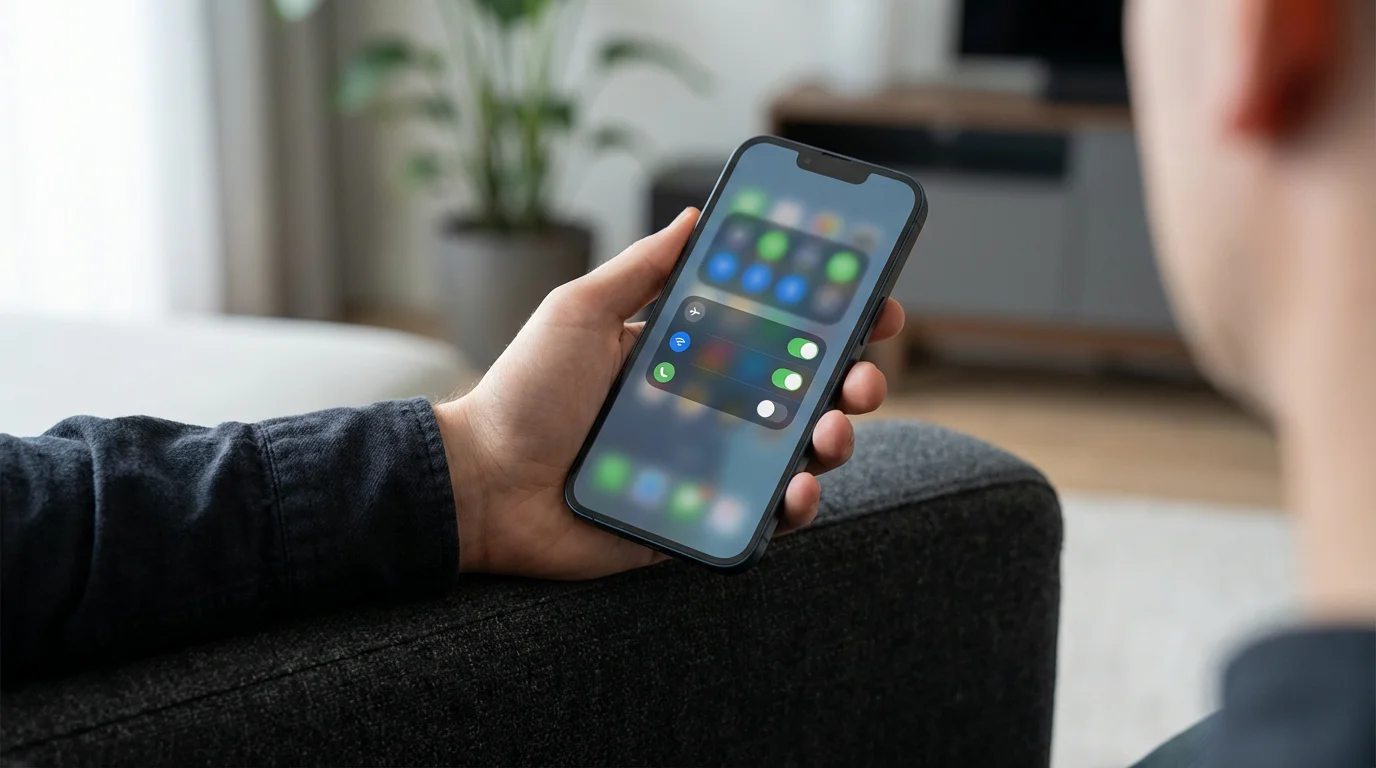
- Utilize “Do Not Disturb” (DND) or Focus Modes: These powerful features are your first line of defense against interruptions.
- Schedule DND: Set it to activate automatically during your working hours, during meals, or overnight.
- Create custom Focus Modes: Many devices allow you to create different modes (e.g., “Work,” “Personal,” “Sleep”) that permit notifications only from specific apps or contacts. For instance, your “Work” focus mode might only allow notifications from your communication tools and critical colleagues, while silencing everything else.
Consider Mark, an architect. He disabled all social media notifications and set his news app to deliver a single daily digest. For his work email, he created a rule to only receive audible alerts for emails from his project leads. During his design deep work sessions, he activates a custom focus mode that silences everything except calls from his children’s school. This approach ensures critical information reaches him, while preventing continuous disruption.
Step Three: Cultivating Focused Environments
Managing app notifications is not solely about software settings; it also involves intentionally designing your physical and digital spaces to support deep work and uninterrupted concentration. This step complements your digital adjustments, creating a holistic strategy for control.
You might also benefit from creating a digital-free zone in your home to ensure certain spaces remain a sanctuary for deep thought.
Designing for Focus:
- Designate Device-Free Zones and Times: Establish specific areas or periods where devices are off-limits.
- Example: No phones at the dinner table, no screens in the bedroom an hour before sleep, or a “no phone” policy in your primary workspace during focused tasks.
This creates clear boundaries, signaling to your brain that it is time to concentrate or relax without digital demands.
- Place Your Phone Out of Sight, Out of Mind: The mere presence of your phone on your desk can be a distraction. Even face down, its potential for alerts occupies cognitive space. Keep it in a drawer, another room, or a bag during periods of intense focus.
- Close Unnecessary Tabs and Apps: Digital clutter mirrors physical clutter. Before beginning a task, close all browser tabs and applications not directly related to your current work. This minimizes visual distractions and the temptation to switch contexts.
- Communicate Your Availability: If you work in a team or have colleagues who rely on instant communication, inform them of your focused work blocks. Set an “away” message on messaging platforms or use status updates to indicate you are in deep work and will respond later. This manages expectations and reduces perceived urgency.
- Use Grayscale Mode: Many smartphones offer a grayscale display option. Removing color from your screen makes your device less visually stimulating and reduces its addictive pull. It is a powerful psychological trick to diminish your phone’s appeal when you need to focus.
“Clarity about what matters provides clarity about what does not.” — Deep Work Principle
This principle applies directly to designing your environment. When you are clear about the task at hand, it becomes easier to eliminate environmental factors that do not contribute to that task.
Advanced Strategies for Sustained Focus
Once you master the fundamentals of notification control, you can implement more advanced strategies to solidify your digital wellness practices and maintain an environment conducive to deep work. These techniques require consistency but yield significant returns in terms of focus and productivity.

Deepening Your Control:
- Batching Notifications: Instead of checking alerts as they arrive, designate specific times throughout your day to check and respond to non-urgent communications. For example, check email at 10:00 AM, 1:00 PM, and 4:00 PM. This allows you to accumulate messages and process them efficiently in dedicated blocks.
- Delete Distracting Apps: If certain apps consistently derail your focus, despite your best efforts at customization, consider deleting them entirely from your primary device. You can often access these services through a web browser on a computer during specific, scheduled times, or reinstall them only when truly necessary. This extreme pruning can be incredibly liberating.
- Embrace Digital Detox Periods: Regularly schedule short periods of complete disconnection. This could be a “digital Sabbath” for one day a week, a device-free weekend, or even a few hours each evening. These breaks allow your brain to fully rest and reset, reducing its dependence on constant digital stimulation.
- Utilize Productivity Timers: Techniques like the Pomodoro Technique, which involves focused work sprints followed by short breaks, can be enhanced by strict notification management. During a 25-minute Pomodoro, absolutely all notifications remain silenced. Your focus timer becomes a commitment device to maintain digital boundaries.
- Cultivate a “Mindful Check-in” Habit: When you do check your notifications, do so with intention. Avoid aimless scrolling. Before opening an app, ask yourself: “What specific information am I looking for?” or “What task do I need to complete?” This conscious approach prevents falling into notification rabbit holes.
- Experiment with “Minimalism” Home Screens: Configure your phone’s home screen to contain only essential tools, placing distracting apps into folders or on secondary screens. Some users even remove all app icons from their home screen, relying solely on search to open apps. This reduces visual clutter and the temptation to open apps impulsively.
Imagine Maria, a freelance writer. She batches all client communication and email responses to three specific times daily. She deleted all social media apps from her phone, accessing them only on her computer during a scheduled 30-minute break. Every Sunday, she observes a full digital detox. This systematic approach allows her to maintain long periods of uninterrupted writing, significantly increasing her output.

Overcoming Common Notification Pitfalls
Even with the best intentions, maintaining notification control presents challenges. Recognizing these common pitfalls and having strategies to overcome them helps ensure long-term success in managing app notifications and stopping phone notifications from overwhelming your day.
Addressing Challenges:
- Fear of Missing Out (FOMO): This is a powerful psychological driver. You worry about missing important news, social updates, or urgent work messages.
- Solution: Reinforce your priority settings. Remind yourself that truly critical alerts will still reach you via your essential categories or emergency contacts. For non-urgent matters, trust that you can catch up during your designated check-in times. Consider the value of what you GAIN by focusing, which far outweighs what you “miss” in real-time.
- Social Pressure and Expectations: Colleagues or friends might expect instant responses.
- Solution: Communicate your boundaries. Explain that you are implementing focused work blocks to improve productivity and will respond at regular intervals. Set expectations clearly; most people respect a well-communicated system. Use auto-reply messages during your deep work periods.
- Habitual Checking: Reaching for your phone is often a subconscious habit, even without a notification.
- Solution: Introduce friction. Place your phone in another room or a drawer. When you feel the urge to check, consciously pause and ask yourself if it aligns with your goals. Replace the old habit with a new, productive micro-habit, like taking a deep breath or standing up for a quick stretch.
- Lack of Consistency: It is easy to revert to old habits, especially during stressful periods.
- Solution: Schedule regular “notification check-ups.” Once a month, review your app settings and focus modes. Acknowledge setbacks as part of the process, learn from them, and recommit. Small, consistent efforts lead to lasting change.
- Overly Strict Rules Leading to Rebound: Implementing too many restrictions too quickly can feel unsustainable and lead to a complete abandonment of the system.
- Solution: Start small and iterate. Begin by disabling just social media notifications, then move to email, and gradually introduce device-free times. Experiment to find what works for you without feeling overly deprived or restricted.
Remember, this is a journey of experimentation. You are building a sustainable system, not a rigid prison.

Maintaining Your Notification Mastery
Conquering notification overload is not a one-time fix; it is an ongoing practice of intentional digital living. New apps emerge, work contexts change, and your personal needs evolve. Regular maintenance ensures your notification management system remains effective and aligned with your goals.

Sustaining Your Control:
- Regular Review and Adjustment: Set a recurring calendar reminder, perhaps quarterly, to review all your app notification settings. New apps may have been installed, or existing ones might have updated their notification options. This quick check, taking about 15-20 minutes, prevents notification creep.
- Adapt to Changing Needs: Your life and work contexts are dynamic. A remote worker’s notification needs differ from someone in a hybrid office environment. Adjust your focus modes and notification priorities as your roles or responsibilities shift. For example, if you start a new project requiring constant team communication, temporarily allow more alerts from that specific communication channel.
- Educate Yourself on New Features: Operating systems and apps frequently introduce new features for managing app notifications. Stay informed about these updates. Learn about new “focus filters,” “silent delivery options,” or enhanced “Do Not Disturb” functionalities that can further refine your control.
- Practice Mindful Device Interaction: Cultivate a habit of pausing before picking up your device or opening an app. Ask yourself, “What is my intention here?” This conscious friction helps break the automatic habit loop of constant checking and reinforces your sense of control.
- Share Your Successes and Challenges: Discussing your digital wellness journey with others can provide support and accountability. Share what works for you, and seek advice for areas where you struggle. This reinforces your commitment and helps others on their path to stopping phone notifications from dominating their lives.
Think of your notification system as a garden. It requires regular weeding, pruning, and occasional replanting to thrive. Consistent attention ensures it serves your purpose of cultivating focus and peace.
Frequently Asked Questions
What if I miss an urgent message or call?
Most modern operating systems allow you to set “emergency bypass” or “repeated calls” features within “Do Not Disturb” or Focus Modes. This means calls from specific contacts (like family members or critical work contacts) can still come through, or a second call from the same number within a short period will bypass DND. Carefully configure these exceptions so truly urgent matters can reach you, while non-urgent alerts remain silenced.
Will turning off notifications make me less productive because I’m not instantly responsive?
Often, the opposite is true. While instant responsiveness feels productive, it frequently leads to fractured attention and superficial work. By batching your responses and creating dedicated focus blocks, you tackle tasks more deeply and efficiently. This leads to higher quality output and ultimately, greater overall productivity. You prioritize intentional work over reactive work.
How do I manage notifications for team communication apps like Slack or Microsoft Teams?
These apps often have robust notification settings. Within the app, you can customize alerts by channel, direct message, or keyword. Silence channels that are purely informational, allow alerts only for direct messages or specific mentions, and use “Do Not Disturb” within the app during your focused work periods. Communicate your availability to your team so they know when to expect a response.
My job requires me to be constantly available. Can I still implement these strategies?
Yes, but you will need to adapt them. Focus on optimizing your “essential” category. Use advanced DND settings to allow only critical alerts or calls from specific individuals. When you do have brief moments of less urgency, implement device-free mini-breaks. Even short periods of uninterrupted focus can reduce cognitive load. Communicate proactively with your manager about implementing focused work blocks to improve efficiency.
I worry about being out of the loop with news and current events. How can I stay informed without constant pings?
Instead of real-time alerts, subscribe to daily news digests that arrive once a day at a scheduled time. Dedicate a specific, limited time each day to check news sites or apps proactively, rather than reacting to push notifications. This allows you to stay informed on your terms, without letting headlines constantly interrupt your focus.
What if I get bored or feel anxious without constant notifications?
This is a common experience as you break the habit loop. Embrace these feelings as a sign your brain is detoxing from constant stimulation. Instead of reaching for your phone, try a different activity: take a short walk, stretch, read a physical book, or simply sit in silence for a few minutes. These moments of quiet are crucial for cognitive rest and creative thinking.

Disclaimer
The information provided in this article is for general informational purposes only and does not constitute medical, psychological, or legal advice. Always seek the advice of a qualified professional for any questions you may have regarding a medical condition, mental health concern, or legal matter.