

Do you ever feel buried under a mountain of tasks, emails, and physical paperwork? You open an email, close it, and then reopen it later. You pick up a document, set it down, and pick it up again tomorrow. This common habit of “re-touching” items drains your mental energy and significantly slows your progress.
The solution lies in a powerful productivity hack: the ‘One-Touch’ Rule. This principle helps you instantly boost your productivity by committing to handle items once. When you apply this rule, you make a decision or take action on an item the very first time you encounter it, eliminating the need to revisit it repeatedly.

Understanding the ‘One-Touch’ Rule: What It Is and Why It Works
The ‘One-Touch’ Rule, also known as “handle it once,” is a straightforward strategy. When an item enters your workflow, whether it is an email, a physical document, a new task idea, or a downloaded file, you commit to processing it immediately. You avoid setting it aside to deal with later, which often means handling it multiple times.
This approach dramatically reduces wasted effort and time. Each time you re-engage with an item, your brain incurs a cognitive cost. You need to remember what it is, recall its context, and decide on the next action. By handling items once, you bypass these repetitive mental cycles, freeing up your cognitive resources for deeper work.
The core benefit of the ‘One-Touch’ Rule is its ability to create momentum. Instead of allowing tasks to linger, you maintain a steady flow of completion. This build-up of small wins not only boosts your productivity but also enhances your sense of control and reduces feelings of overwhelm.

The Science Behind Single-Handling: Cognitive Load and Decision Fatigue
The effectiveness of the ‘One-Touch’ Rule finds strong support in cognitive psychology. Our brains expend energy with every decision and context switch. When you repeatedly encounter the same item, you force your brain to engage in micro-decisions and task switching, which are significant energy drains.
Research on cognitive load demonstrates that our working memory has limited capacity. Each time you put an item aside and later retrieve it, you reload it into your working memory. This process taxes your brain and leads to reduced efficiency. According to the American Psychological Association, excessive cognitive load impairs performance and decision-making.
Furthermore, delaying action contributes to decision fatigue. Every pending item represents an unresolved decision. The cumulative effect of these unresolved decisions can deplete your willpower and make it harder to focus on critical tasks. A study published in SAGE Publishing highlighted how cumulative decision-making negatively impacts self-control and subsequent choices.
“Work expands to fill the time available for its completion.” — Parkinson’s Law
Parkinson’s Law, a well-known principle in productivity, perfectly illustrates this point. If you give yourself unlimited time to handle an item, you will likely take it. The ‘One-Touch’ Rule creates an artificial constraint, forcing immediate action and preventing tasks from unnecessarily expanding.

Applying the One-Touch Rule to Your Email Inbox
Email often stands as the biggest culprit for multi-touch habits. Many professionals open emails, read them, then mark them unread or move them to a “to-do” folder. This results in handling the same email multiple times. Applying the ‘One-Touch’ Rule transforms your email management.
Here is a step-by-step process to implement one-touch email processing:
- Open Email: Commit to processing an email as soon as you open it.
- Rapid Assessment: Read the email once quickly to understand its nature.
- Immediate Action (Choose One):
- Delete: If it is junk or no longer relevant, delete it instantly.
- Archive: If it is informational but requires no action, archive it.
- Respond (under 2 minutes): If a reply takes less than two minutes, type and send it immediately.
- Delegate: If someone else needs to handle it, forward it to them immediately.
- Taskify/Schedule: If it requires a longer action, convert it into a task in your task manager or schedule a specific block of time on your calendar to address it. Then, archive the email.
- Close and Archive: After taking action, close the email and archive it from your inbox. Your inbox becomes a processing center, not a storage unit.
Worked Example: Imagine you open an email from a colleague asking for a quick update on Project X. You assess it: “I know this information, and it will take 60 seconds to type a concise answer.” You immediately type the reply, send it, and archive the original email. You have handled it once. Contrast this with reading it, thinking “I’ll get to this later,” closing it, reopening it an hour later, re-reading it, and then finally responding. The ‘One-Touch’ Rule saves you those multiple re-engagement points.

Mastering Physical Clutter with One-Touch Principles
The ‘One-Touch’ Rule is equally effective for physical items. Your desk, mail pile, and incoming documents can quickly become sources of distraction and disorganization. Applying one-touch here means processing physical items the moment they enter your space.
Consider how you handle incoming mail or documents:
- Mail: As soon as you bring mail in, stand over the recycling bin. Open each piece.
- Discard: Junk mail goes directly into recycling.
- Action: Bills or important notices requiring action immediately get processed (e.g., pay online, add to task list). Then, file or shred them.
- File: Documents needing long-term storage go directly into their designated folder or filing system.
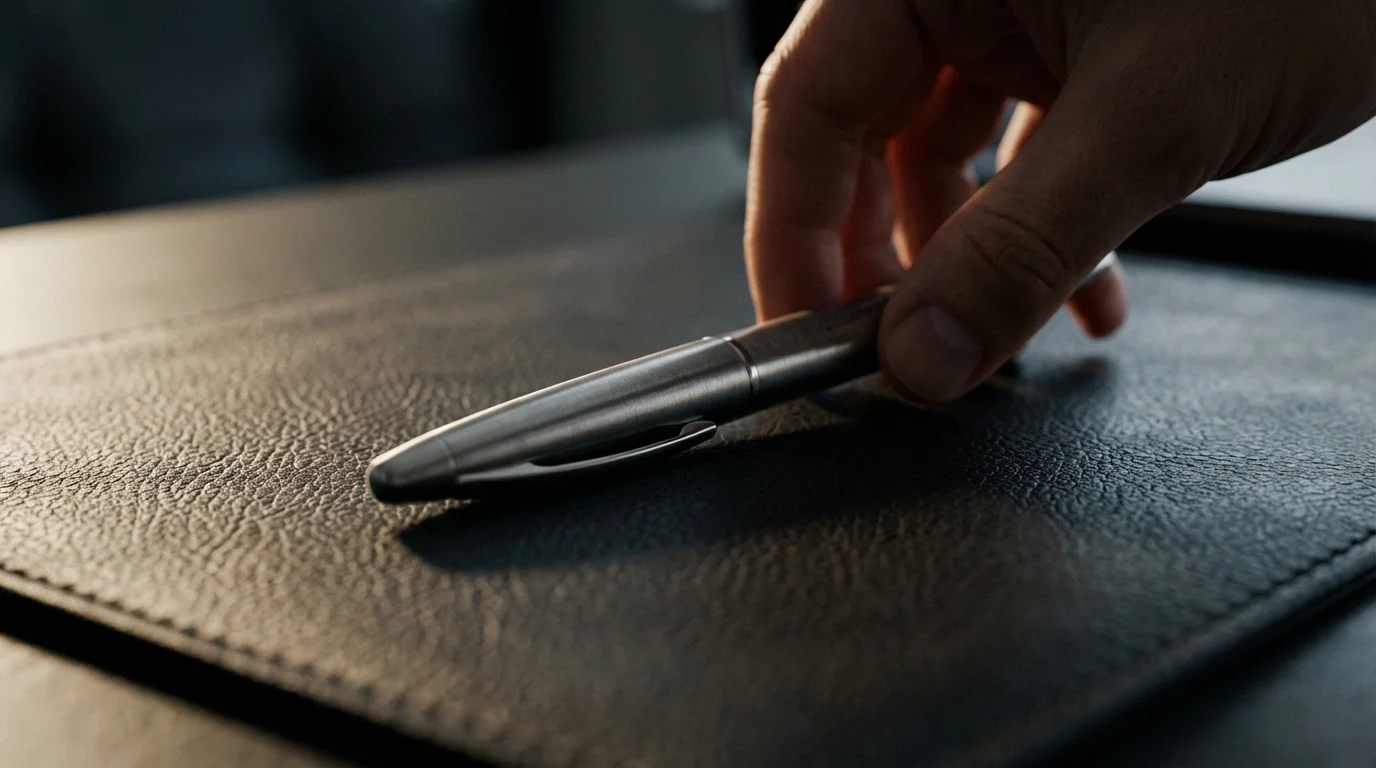
- Desk Items: When you finish using a pen, put it back in its holder. If you remove a book from the shelf, return it after use. Do not let items accumulate on your desk as “temporary storage.”
Worked Example: A new package arrives. Instead of leaving it on the counter, you open it immediately. You remove the item, discard the packaging, and put the item in its designated place (e.g., new batteries in the electronics drawer). This prevents a pile-up of empty boxes and new items awaiting a home, maintaining an organized environment and reducing future clean-up time.

Integrating One-Touch into Digital Task Management and Files
Beyond email and physical items, the ‘One-Touch’ Rule streamlines your entire digital workflow. This applies to downloads, new digital files, and even fleeting ideas or tasks that pop into your head.
For digital files:
- New Downloads: Do not let downloads accumulate in your default downloads folder. As soon as a file finishes downloading, move it to its correct, designated folder. Rename it clearly if necessary. This prevents endless searching later and keeps your digital space tidy.
- Screenshots: If you take a screenshot, immediately crop it, save it with a clear name, and file it in the relevant project folder or delete it if it is no longer needed.
- New Documents: When you create a new document, save it directly into its final project folder, rather than on your desktop as a temporary placeholder.
For digital task management and ideas:
- Quick Ideas: When a new idea or task enters your mind, immediately capture it in your trusted task management system (e.g., Notion, Asana, Trello). Do not just mentally note it or write it on a random piece of paper. This ensures the idea is recorded and available for processing later, without requiring you to re-capture it or recall its context.
- Meeting Notes: After a meeting, immediately transfer any action items from your notes into your task manager. File the meeting notes in their designated project folder.

Common Challenges and How to Overcome Them
While the ‘One-Touch’ Rule sounds simple, real-life challenges can make it difficult to implement consistently. Acknowledging these hurdles allows you to build robust strategies for overcoming them.
- “I Don’t Have Time for This Now”: This is the most frequent objection. However, the time spent “touching” an item once is almost always less than the cumulative time spent re-touching it. Break down actions into smaller, immediate steps. Remember the 2-minute rule: if an action takes less than two minutes, do it now. This principle, popularized by David Allen, complements the ‘One-Touch’ Rule by providing a quick decision framework for immediate tasks.
- Complex Tasks: Not every item can be fully resolved in one touch. For tasks requiring more than a few minutes, the “one touch” becomes about immediately deciding the *next action*. Convert the item into a clearly defined task in your system, assign a deadline, and schedule a specific time block for it. Then, remove the original item from your immediate attention.
- Interruptions: Constant interruptions can derail your focus. Create protected blocks of time where you can process items without distraction. Communicate your availability to colleagues. Use “do not disturb” modes on your devices during these focused periods.
- Lack of Systems: If you do not have clear filing systems, a robust task manager, or a reliable calendar, implementing one-touch becomes difficult. You will not know where to put things. Invest time in setting up these foundational systems first. A well-designed system requires you to know exactly where an item belongs or what the next action is.
- Decision Fatigue: Paradoxically, the initial implementation of the ‘One-Touch’ Rule can feel overwhelming due to the need for constant decisions. Start small. Pick one area, like email or physical mail, and commit to one-touch for a week. As you build momentum and create clear decision pathways, the mental burden will decrease.
Advanced Strategies for Workflow Optimization
Once you master the basics of the ‘One-Touch’ Rule, you can integrate it with advanced productivity techniques to further streamline workflow processes and enhance your efficiency.
- Batching: Combine the ‘One-Touch’ Rule with batching for tasks that inherently require multiple similar actions. Instead of touching an item once, you touch a group of similar items once. For example, process all incoming invoices in one dedicated time block. Open each invoice, review it, and take the single required action (pay, file, flag for review) before moving to the next. This minimizes context switching.
- Automation: Identify repetitive actions that prevent a true “one-touch” experience. For emails, set up rules to automatically move newsletters to a “Read Later” folder or categorize messages from specific senders. Use tools like Zapier or IFTTT to automate file transfers or task creation from specific triggers.
- The Two-Minute Rule: This rule is a cornerstone of one-touch. If an action will take less than two minutes to complete, do it immediately. This prevents a multitude of small tasks from accumulating and becoming a larger cognitive burden. Checking a quick fact, sending a short email, or filing a single document all fall into this category.
- Creating Defaults: Establish clear default actions for common item types. For instance, your default for any new digital document might be to save it immediately into a “Review” folder if its final destination is not yet clear, or to a specific project folder. This removes decision friction.
- Scheduled Processing Blocks: While the goal is one-touch on encounter, schedule dedicated “processing blocks” for items that cannot be handled immediately but need consistent attention. This ensures complex items or batched tasks get their single touch within a defined time, preventing them from lingering indefinitely.
Implementing these strategies enhances the ‘One-Touch’ Rule, allowing you to move from simply reacting to proactively managing your workload.
Measuring Your One-Touch Productivity Gains
The impact of the ‘One-Touch’ Rule often feels intuitive, but you can also observe quantifiable benefits. By tracking key metrics, you gain concrete insights into your improved productivity and efficiency.
- Inbox Zero Achievement: Track how often your email inbox reaches zero. A consistent “Inbox Zero” indicates successful one-touch email processing.
- Time Savings: Estimate the time you previously spent re-reading emails, searching for misplaced documents, or revisiting tasks. Over time, you will notice significant time savings, allowing you to allocate more hours to deep work or strategic initiatives.
- Reduced Mental Clutter: While harder to quantify, pay attention to your subjective experience. Do you feel less overwhelmed? Is your mind clearer? This reduction in cognitive load is a direct benefit of the ‘One-Touch’ Rule.
- Faster Task Completion: Monitor your average time to complete tasks, especially those initiated by incoming items. You will likely see a decrease in lead time from item reception to completion.
- Environmental Order: Observe the state of your physical and digital workspaces. A consistently tidy desk and organized digital folders are clear indicators of effective one-touch application.
By consciously observing these areas, you confirm the value of handling items once. This positive feedback loop motivates you to maintain and refine your one-touch habits, further optimizing your workflow processes and enhancing overall productivity.
Frequently Asked Questions
What if an item genuinely requires more time than I have at that moment?
The ‘One-Touch’ Rule does not demand instant completion of every complex task. It demands instant decision-making. If an item needs significant time, your “one touch” is to immediately convert it into a concrete task in your system, assign it a due date, and schedule a specific time block to work on it. Then, remove the original item from your immediate view.
Is the ‘One-Touch’ Rule suitable for creative work that requires incubation time?
Yes, it still applies. For creative ideas requiring incubation, your “one touch” involves immediately capturing the idea in a dedicated idea bank or journal. You avoid letting it float vaguely in your mind. This way, the idea is preserved, ready for a planned, deeper engagement when you are ready to focus on creative tasks.
How can I start implementing this rule without feeling overwhelmed?
Begin small. Choose one area where you frequently “re-touch” items, like your email inbox or physical mail. Commit to applying the ‘One-Touch’ Rule in that specific area for a week. As you gain confidence and see results, gradually expand it to other parts of your workflow. Focus on progress, not perfection.
Does this rule mean I should respond to every email immediately?
No, not necessarily. The ‘One-Touch’ Rule for email means taking *an* immediate action. This action might be deleting, archiving, converting to a task, delegating, or a quick response if it takes under two minutes. It means not letting the email sit in your inbox untouched after its initial opening.
What if I often receive urgent items that disrupt my one-touch flow?
Urgent items are a common reality. When an urgent item arrives, your “one touch” decision might be to immediately pivot to address it. Afterward, quickly re-evaluate any tasks you paused and decide on their next immediate action. The goal is to minimize lingering tasks, even after an interruption.
Will this rule make me feel rushed all the time?
Initially, it might feel like you are making more decisions. However, the long-term effect is a reduction in mental load and a greater sense of control. By handling items once, you eliminate the constant low-level stress of unresolved tasks, leading to more calm and focused work periods, not constant rushing.
Disclaimer: This article provides general information for informational purposes only and does not constitute medical, psychological, or legal advice. Always seek the advice of a qualified professional for any personal concerns or before making any decisions related to your health or well-being.







Leave a Reply