

In a small apartment, work spreads to whatever flat surface is free: the dining table, the arm of the sofa, a corner of the kitchen counter. You lose time digging out the laptop every morning, and at night the work is still in view.
What works in a small space is a defined corner with clear limits. Pick one of four compact setups that fits your floor plan, give every work item a fixed home inside it, and make sure the whole thing can be closed or cleared in under five minutes.
Why the dining-table office keeps failing
Working without a fixed place causes two problems. The first is visual competition. A table holding mail, dishes and a laptop puts several unrelated things in front of you at once, and your attention has to sort the relevant from the irrelevant before you can start.
The second is that the mess never leaves. In a study of home tours, people who described their homes as cluttered and unfinished showed flatter daily cortisol slopes, a pattern associated with chronic stress. The sample was small and the finding is correlational, so it does not prove clutter causes stress, but it matches what many people feel when they work where they live.
Research on home workers during the pandemic found that a dedicated workstation and fewer environmental distractions protected both physical and mental well-being compared with improvised setups. Dedicated does not mean a separate room. It means a spot used only for work while you are working, which you can put away afterwards.
Run a quick check. If two or more of these are true, start by changing your setup:
- You clear the table before most meals and rebuild your workspace afterwards.
- You regularly spend minutes hunting for a charger, notebook or headphones.
- From the sofa at 9 p.m., you can still see open work.
- Paper from work and paper from home end up in the same pile.
Four small-apartment setups compared
Each configuration below trades footprint against how fully it disappears at the end of the day. Measurements are approximate starting points; measure your own walls and furniture before buying anything.
| Setup | Minimum space needed | Setup cost | Shutdown time | Best for |
|---|---|---|---|---|
| Closet cloffice | Reach-in closet about 30 in wide and 20–24 in deep, plus chair room outside the doors | Medium: folding desk, two shelves, possibly a flat extension cord | 2–3 min: file the tray, fold the desk, close the doors | Studios where work must vanish completely |
| Wall-mounted drop-leaf | 30–36 in of bare wall; 4–8 in deep when folded | Low to medium: desk plus stud mounting or heavy anchors | 1–2 min: clear the leaf, fold it up | Living rooms with one free wall (check your lease before drilling) |
| Console desk | 36–48 in of wall, 12–16 in deep | Low to medium: console plus a storage ottoman or basket | 3–5 min: clear the surface into hidden storage | Hallways and entries; laptop-only work |
| Portable work caddy | No floor space; one shelf or under-bed slot | Lowest: a box or tote you may already own | 3–5 min: pack every item back in | Apartments with no spare wall or corner |
Closet cloffice
Consider an architectural illustrator working from a 500-sq-ft studio who draws at the dining table and has a 30-inch closet full of old paperwork, rolled prints and tangled cables. She empties it completely and sorts everything into keep, donate and trash, deciding each item once rather than shuffling it back in.
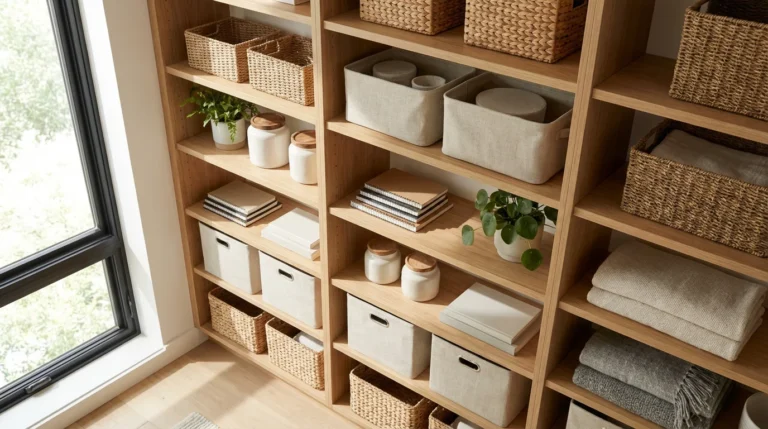
A slim file box goes on the closet floor for documents and finished drawings. Above it, two floating shelves: the lower one is the active shelf, with a single inbox tray, a pen cup and a charging strip for the laptop and drawing tablet; the upper one holds matching boxes of spare sketchbooks, printer paper and cables. A wall-mounted folding desk spans the opening.
Her end-of-day shutdown is three moves: file what is in the tray, put the laptop and tablet on their chargers, fold the desk and close the doors. The table goes back to being a table.

Wall-mounted drop-leaf
A drop-leaf desk folds flat against the wall, so the only permanent footprint is a few inches. Mount it into studs, keep the work surface for the laptop alone, and put supplies on a shelf or pegboard above it; our guide to vertical storage covers which wall systems hold what.
Console desk
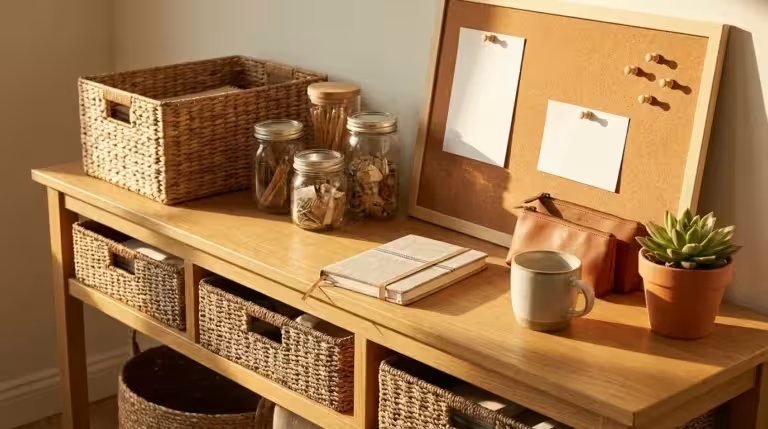
A narrow console serves as a desk during the day and an entry table in the evening. Pair it with a storage ottoman: it is your seat while working and the place your notebook, cables and mouse disappear into at shutdown.

Portable work caddy
When there is no corner to spare, your office becomes a kit instead of a location. A box or tote holds the laptop, charger, notebook, pens and headphones. You carry it to the table or an armchair with a lap desk, then pack everything back and shelve it. The packing is the boundary that marks the end of your work-from-home day.
Set up the corner in five steps
- Place it near light, away from the bed. In a small study of office workers, optimized daylight and window views were linked to 37 more minutes of nightly sleep and better higher-order cognitive scores. If you can, face a window or wall rather than the bed or TV.
- Get the height right. Cornell’s workstation guidelines put desk height at 28–30 inches. Consoles and kitchen counters often sit higher, so raise the chair and add a footrest, or use a laptop stand with a separate keyboard.
- Zone the surface. Even a 36-inch desk can hold three zones: laptop in the centre, a notepad on one side for analog thinking, and a small tray on the other for incoming paper. The layout tells you what to do when you sit down.
- Give every item a home and label lightly. Decide where the pen, charger and notebook live so you never ask where something goes. Clear containers need no labels; reserve labels for opaque archive boxes. Our no-clutter desk guide covers what earns a place on the surface.
- Add one boundary and one plant. A small rug, a dedicated lamp or headphones mark the zone as work. Indoor noise raises annoyance and lowers remote-work performance and satisfaction, so a rug and noise-cancelling headphones do double duty. In field experiments, adding a few plants to a lean office improved concentration and productivity by up to 15%.

Agreeing on signals with housemates
If your corner sits in a shared living space, the physical cue only works if everyone knows what it means. Agree on it once, out loud.
- Setting the signal: “When the lamp is on and I’m wearing headphones, I’m in a work block until noon. Text me if it can’t wait.”
- Protecting the surface: “Can we keep the console clear of bags? I pack it up every evening, so it’s yours after six.”
- Fixing a shared mess: Lead with the shared benefit rather than criticism: “Wouldn’t it be easier if keys always went in this bowl?” Most people adopt a system that solves their own problem.
Keeping it from creeping back
Paper. Use the one-touch rule for mail: open it, decide and move it once. Process the inbox tray weekly into act, file or discard, and do any action under two minutes on the spot, as David Allen recommends in Getting Things Done.
Backlog. If years of unsorted paper stop you starting, put all of it in one box labelled “Archive to sort” and store it out of sight. Start the new system with today’s mail, and clear the box in 30-minute blocks once or twice a week.
Kitchen counter. If mail lands in the kitchen anyway, give it a landing strip: a three-tier sorter (new, action, to file) and a bowl for keys. The counter stays clear, and paper reaches your desk tray on a schedule.
Digital. Handle the computer desktop like the physical one: a temporary surface. Drag new files into a “To sort” folder daily and file them weekly using a simple structure like the one in our guide to organizing digital files.
Personal items. Keep one or two meaningful objects at the desk and give the rest a shelf elsewhere, so the corner stays a place for work.
Finally, attach the fold-up, pack-away or clear-down step to the end of your workday; a workday shutdown ritual is the natural place for it. If shutdown regularly takes longer than the time in the table above, your corner is holding more than it should, so cut items until it fits.

1 Comment